
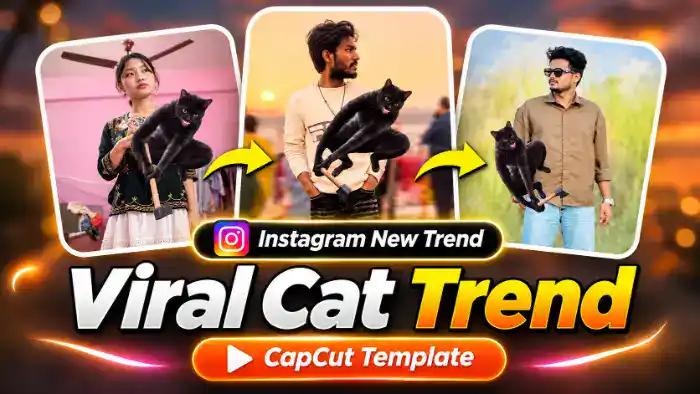
The Viral Cat Trend is the funniest new CapCut template on Instagram right now. You post a normal photo of yourself, and suddenly a cheeky black cat appears on your shoulder, holding a small axe and swinging it around with a naughty grin. People pair it with funny single-life captions like “Gf nahi hai, kya karu” and the reels are getting millions of views.
The best part is that it takes less than a minute. You only need one photo. The template adds the animated black cat, the axe and the music for you, so you do not need any editing skills.
Viral Cat Trend CapCut Template Link
How to Use the Viral Cat Trend Template in CapCut
Step 1: Connect a VPN (India Only)
First, if you are in India, open any free VPN app and connect to Hong Kong or Singapore. Without a VPN, the template shows “User Not Found”. If you live outside India, skip this step.
Step 2: Open the Template
Next, tap the Use This Template button above. The template opens directly in the CapCut app.
Step 3: Select Your Photo
Then tap Use Template in CapCut and select one photo of yourself from the gallery. A full-body or half-body photo works best, because the cat sits on your shoulder and needs some space beside you. After that, tap Next, and CapCut adds the animated cat, the axe and the music for you.
Step 4: Add Your Caption and Export
Finally, add a funny caption like “Gf nahi hai, kya karu” or “Kya fayda iska?”, preview your video and tap Export. Your reel is ready to post on Instagram.
Why the Viral Cat Trend Is Going Viral
Cat memes always do well on Instagram, and this one has a twist: the black cat looks naughty and dangerous with its little axe, while you stand there completely calm. That funny contrast makes people laugh and watch the reel again.
Moreover, the trend works with any photo: a selfie at home, a sunset picture or a travel photo. Most creators add a single-life or savage caption, so the reel gets lots of comments and shares. If you post your Viral Cat Trend early, you have a real chance to ride the wave.
Tips for the Best Viral Cat Trend Result
Use a clear photo where you stand straight and your shoulder is visible, because the cat sits right there. Also, leave some empty space on one side of the photo so the cat and the axe are not cut off. A bright outdoor photo with a simple background makes the black cat stand out the most.
Frequently Asked Questions
Is the Viral Cat Trend template free?
Yes. The template is free to use in the CapCut app. You only need the link and one photo.
Why does the template show “User Not Found”?
CapCut templates are blocked in India. Connect a VPN to Hong Kong or Singapore, then open the link again.
Can I use a video instead of a photo?
This template needs one clip, so you can select either a photo or a short video. A photo usually gives the cleanest result.
Can a girl use this template?
Yes. The cat appears on anyone’s shoulder, so it works for boys and girls in the same way.
Liked the Viral Cat Trend? Also try the CapCut Trending Template collection for more viral edits.