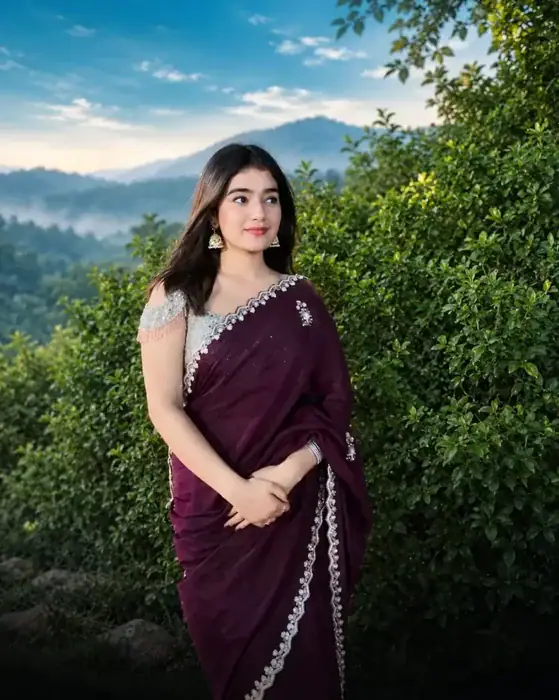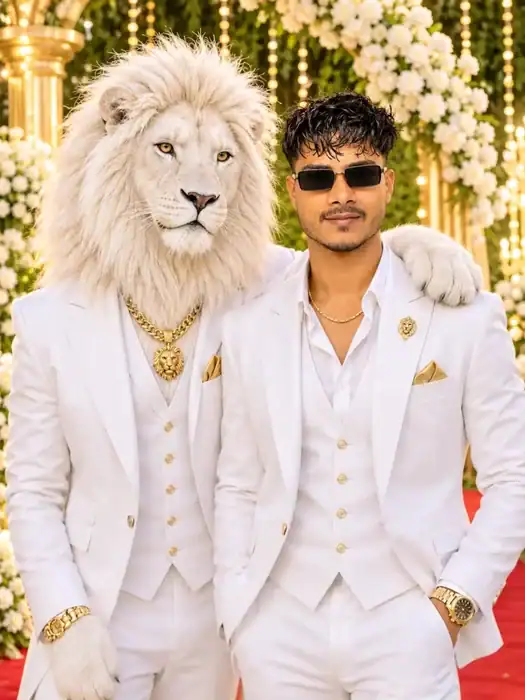

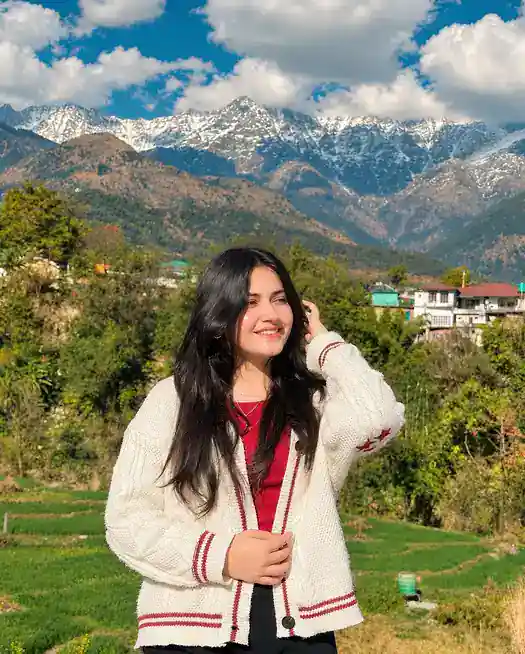
The Teal and Warm Cinematic Photo Prompt gives your normal phone photo the rich, colourful look of a professional wedding photographer. It adds soft teal tones in the shadows, deep greens in the trees and grass, and warm golden light on the skin, while your face, hair, clothes and background stay exactly the same.
This is a colour-grading prompt, not a face-change prompt. You upload your own photo in ChatGPT, paste the prompt, and it only changes the colours, light and contrast. That is why the result still looks like your real photo, just like it was edited in Lightroom by a pro.
What the Teal and Warm Cinematic Photo Prompt Does to Your Photo
Wedding photographers use the teal and warm style because it makes people stand out from the background. The cool teal in the shadows and the warm gold on the skin are opposite colours, so the face looks brighter and more alive, and the whole photo feels cinematic.
- Teal shadows: the dark parts of the photo get a soft, cool teal tone instead of flat grey.
- Deep greens: trees, grass and mountains become richer and darker green, not neon.
- Warm golden highlights: sunlight and skin get a gentle golden glow.
- Clean whites: white clothes and clouds stay white, not yellow or blue.
- Realistic skin: no smoothing, no filter face, the skin texture stays natural.
Which Photos Look Best with This Prompt
The prompt adapts to the light of every photo, but it looks most impressive on outdoor photos with some greenery or sky in the background.
- Travel photos in the hills, near mountains, lakes or beaches
- Wedding, haldi, mehendi and festival photos
- Couple photos and family photos in a garden
- Daylight portraits and golden-hour selfies
- Old dull photos that need more colour and depth
How to Use the Teal and Warm Cinematic Photo Prompt in ChatGPT
- Open ChatGPT on your phone or computer.
- Upload the photo you want to edit (a sharp, well-lit photo works best).
- Copy the prompt below and paste it with the photo.
- Send it and wait for the edited photo.
- Download it and compare it with your original. If the colours look too strong, ask ChatGPT to make the grading 30% softer.
Teal and Warm Cinematic Photo Prompt
Copy the full prompt. Keep both parts: the first part sets the colour style, and the second part protects your face, clothes and background.
STRICTLY PRESERVE every person’s exact face, identity, features, expression, skin texture, body, hair, clothes, jewellery and pose. Do not retouch, smooth, reshape or regenerate faces. Do not add, remove or change any person, object, clothing or background. Preserve original composition, framing, perspective and details. ONLY adjust color, white balance, exposure, contrast, highlights, shadows, vibrance and saturation. No generative edits. Deliver a rich, professional DSLR-quality photo. Premium finish.
Tips for a Better Result
- Upload the original photo, not a screenshot or an already filtered photo.
- Do not shorten the “STRICTLY PRESERVE” part. Without it, ChatGPT may redraw the face.
- For indoor or night photos, the result will be warmer and less green. That is normal, the prompt adapts to the light.
- If the skin looks too orange, reply: “Keep the same grading but make the skin tone more natural.”
- Edit all photos of one trip or event with the same prompt, so your Instagram feed looks consistent.
Frequently Asked Questions
Will the Teal and Warm Cinematic Photo Prompt change my face?
No. The prompt only allows changes to colour, white balance, exposure, contrast, highlights, shadows, vibrance and saturation. It clearly tells ChatGPT not to retouch or regenerate faces.
Is this prompt free to use?
Yes. You can use it with the free version of ChatGPT. Free accounts have a daily image limit, so you may need to wait if you edit many photos.
Can I use it for group photos?
Yes. The prompt protects every person in the photo, so it works for couple, family and group photos too.
Why does my result look different from the example?
The grading adapts to each photo’s lighting. A sunny mountain photo gets more green and gold, while a shaded photo gets softer teal tones.
Liked this prompt? Also try the Sheru Bhai Garden Photo Prompt and the Sheru Bhai Royal Photo Prompt for more viral ChatGPT photo ideas.