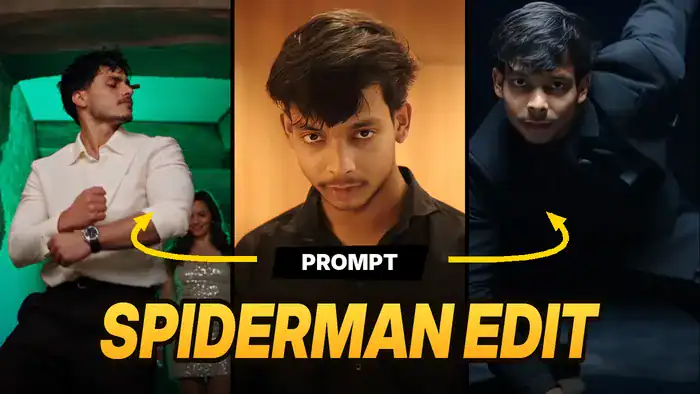
The Spiderman Edit Prompt is behind one of the most viral AI edits on Instagram right now. In these reels, a normal guy looks shocked first, and then the video turns into stylish, cinematic dance shots. Now creators are making the same edit with their own face. However, you don’t need any editing skills for it.
So, in this post you will get the reference video, the full prompt, and the simple step-by-step method to make it in Higgsfield Genjutsu, both free and with paid credits.
Download the Reference Video
First, watch the original clip. Genjutsu copies every move, camera angle and light from this video, so it is the base of the Spiderman Edit Prompt.
Next, tap the download button below and save this video. You will upload it to Higgsfield in the next step.
What You Need for This Edit
Before you start, keep these 3 things ready. Also, make sure you are signed in to Higgsfield before you use the Spiderman Edit Prompt.
- Reference video: the clip you downloaded above.
- Your character sheet: one image of yourself with full-body views (front, side and back) and a few face close-ups from different angles. This helps the AI keep your face the same in every frame.
- The prompt: copy it from the box below.
Copy the Spiderman Edit Prompt
Now copy this prompt. Because it locks the motion, camera and background, your video looks just like the original, but with your face.
The new character’s face, hairstyle, and features must match @Image 1 consistently in every frame.
How to Use the Spiderman Edit Prompt in Higgsfield Genjutsu
Once you have the video, the character sheet and the prompt, follow these steps. As a result, you will get the same edit with your own face.
- Open Higgsfield: First, tap the “Open Higgsfield Genjutsu” button below and sign in.
- Select Genjutsu: Next, select the Higgsfield Genjutsu model.
- Upload the reference video: Then, upload the reference video you downloaded above.
- Upload your character sheet: After that, upload your character sheet image.
- Paste the prompt: Now paste the prompt. Here, @Video 1 is the reference video and @Image 1 is your character sheet.
- Generate: Finally, hit Generate, wait a few minutes, and download your video.
Free Method vs Paid Credits
Free: Every new Higgsfield account gets one free Genjutsu video. So, if you make a new account, you can try the Spiderman Edit Prompt without paying anything.
Paid: However, if your free video is already used, you can buy credits. The process stays exactly the same: upload the reference video, upload your character sheet, paste the prompt and generate.
Tips for a Better Result
Also, keep these small tips in mind. In short, a better character sheet gives you a better result with the Spiderman Edit Prompt.
- Use a clear character sheet with good light and a plain background.
- Avoid sunglasses, caps or group photos in your character sheet.
- Also, if your face looks different in some frames, use a better character sheet and generate again.
That’s it! Now your Spiderman Edit Prompt video is ready to post as a Reel. Finally, if you like trends like this, also try the Thalapathy Vijay AI Video and the Casa Tupka AI Video trend.