
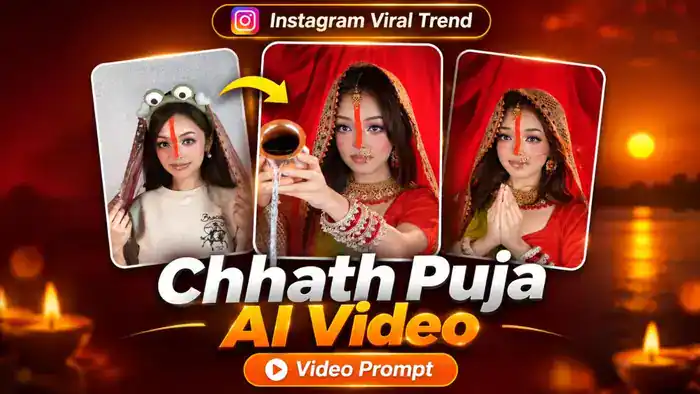
The Chhath Puja AI Video is the new Instagram viral trend for the festival. In the reel, a girl starts in a simple T-shirt with a funny frog headband and a long orange sindoor line on her nose. She pulls a dupatta over her head, and with a golden flash she turns into a beautiful Chhath Puja look: red saree, heavy gold jewellery, nath and chooda. Then she offers arghya from a kalash and folds her hands in namaste.
Now you can make the same Chhath Puja AI Video with your own face, for free, using Google Flow. In this post, you get the free video prompt, the muted reference video, the original audio and simple step-by-step instructions.
Watch the Chhath Puja AI Video Trend
First, watch the original reel below, so you know exactly what your AI video will look like.
Next, download the folder from the button below. It has two files: the muted 10-second reference video (no sound, no text) that you upload in Google Flow, and the audio file of the same 10 seconds that you add to your video later.
Why the Chhath Puja AI Video Is Going Viral
Chhath Puja is one of the most loved festivals in Bihar, Jharkhand and eastern Uttar Pradesh. This trend mixes a funny “before” look with a beautiful traditional “after” look, so people watch it till the end and share it with family and friends during the festival.
It is also a festival trend, so it gets the most views only for a few days. If you post your own Chhath Puja AI Video now, you have a good chance of getting high views and new followers.
Chhath Puja AI Video Prompt
Before You Paste This Prompt, Check These 4 Things
- Muted video: Upload only the muted reference video from the folder above. A video with sound can fail in Google Flow.
- One clear photo: Use a front-facing photo where your face is fully visible and not blurry.
- Order: The reference video is @video1 and your photo is @image1.
- 9:16 vertical: The reference video is vertical, so keep the aspect ratio at 9:16.
Replace the woman in @video1 with the woman in @image1 in EVERY shot of the video, from the very first frame to the very last frame. This includes the starting casual look (beige T-shirt and frog headband), the transformation flash, the bridal look, the arghya shot, the namaste shot, the rice shower and the ghunghat shots. There is no shot where the original woman from @video1 appears, not even for one frame.
Preserve the complete face and identity of @image1 in every shot: same face shape, eyes, nose, lips, jawline, eyebrows, skin tone and hair. Her face stays exactly @image1 in close-ups, in side angles, when she looks down, when her eyes are closed, when the dupatta covers her head and during the light flash. Never blend, morph or switch back to the original woman’s face.
Keep everything else exactly as in @video1: the beige T-shirt and frog headband at the start, the long orange sindoor line from the forehead down the nose, the red saree with green pallu, red embroidered dupatta, gold necklace, maang tikka, nath, earrings, red and white chooda, the brass kalash, the falling rice grains, the red curtain background, the lighting, the transitions, the duration and the aspect ratio. Only the woman’s face and identity change to @image1.
No text, letters, titles, stickers, logos or watermarks anywhere.
AVOID: the original woman’s face, identity switching between shots, face blending or morphing, a different face in the starting look, text, stickers, watermarks, extra people, distorted hands, extra fingers, flickering, new scenes.
How to Make the Chhath Puja AI Video in Google Flow
- Download the folder from the button above. It has the muted video and the audio file.
- Open Google Flow (labs.google/flow) and sign in with your Google account.
- Create a new project and select Video with Ingredients.
- Upload the muted reference video first, then upload your clear photo.
- Set the aspect ratio to 9:16 and the length to 10 seconds.
- Copy the prompt above, paste it in the prompt box and click Generate.
- Check the result. If the face does not match well, generate again with a clearer front photo.
How to Add the Audio and Post Your Video
- Download your generated video from Google Flow.
- Open it in CapCut or VN and add the “Chhath Puja Audio” file from the folder. It is the same 10 seconds, so it fits your video. You can also post it directly on Instagram and pick a Chhath song with “Use audio”.
- Add a short caption with Chhath Puja wishes and the trending hashtags, then post it as a Reel.
Tips for the Best Chhath Puja AI Video
- Use a sharp photo taken in daylight, looking straight at the camera.
- Avoid photos with sunglasses, masks or hair covering your face.
- Never upload the original reel with sound in Flow. Always use the muted file.
- If the saree or jewellery looks different, simply generate again. Flow gives a slightly different result each time.
Frequently Asked Questions
Is the Chhath Puja AI Video prompt free?
Yes. The prompt, the muted reference video and the audio are completely free. You only need a Google account to use Google Flow.
Can I use my own saree and jewellery?
This prompt keeps the same red saree, jewellery and sindoor as the original trend, so everyone gets the same viral look. Only your face comes from your photo.
Why does Google Flow show an error with my video?
This usually happens when the video has sound or is longer than 10 seconds. Use the muted reference video from this post, which is already 10 seconds and has no sound.
Will the Chhath Puja text sticker come in my video?
No. We removed the text sticker from the muted reference video, and the prompt also tells Flow not to add any text.