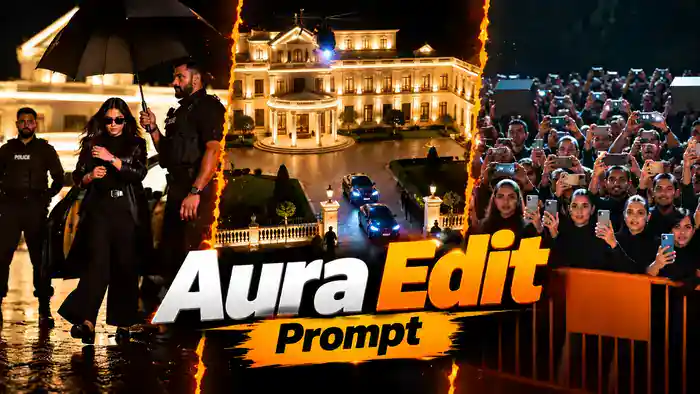
The Aura Edit Prompt is the new cinematic trend that turns you into a VIP celebrity in just a few minutes. In this edit, you ride in a luxury car at night, a convoy and a helicopter escort you, security guards open the door with an umbrella, and a huge crowd screams for you as you walk in slow motion.
The best part is that you can make this whole video for free with Google Flow. First, you upload your own photo. Then, you paste the three scene prompts one by one. Finally, you join the clips in CapCut or VN. In this article, you get the complete Aura Edit Prompt (all 3 scenes), the reference video and the full step-by-step process.
Watch the Aura Edit Prompt Reference Video
Before you start, watch the reference video below to understand the full effect. You will also need its sound at the end, so download it using the button below.
How to Make the Aura Edit Prompt Video in Google Flow
Google Flow makes only about 10 seconds of video in one generation. That is why this edit is split into 3 scenes. You generate each scene separately and then join them. Follow these steps carefully:
Step 1: First, open Google Flow and upload one clear photo of yourself.
Step 2: Next, set the settings to Ingredients mode, 9:16 ratio, 720p and 1x output.
Step 3: Then, copy the Scene 1 Aura Edit Prompt from below, paste it into Flow and click Generate.
Step 4: After Scene 1 is generated, click the + button and add the generated Scene 1 video as a reference. After that, add your photo again, paste the Scene 2 Aura Edit Prompt and generate.
Step 5: Now repeat the same process for the last part. Add the generated Scene 2 video as a reference with the + button, add your photo again, paste the Scene 3 Aura Edit Prompt and generate.
Step 6: Finally, open CapCut, VN or any editing app. Put the 3 clips in order (Scene 1, Scene 2, Scene 3), add the sound from the original reference video and export. Your Aura Edit is ready, completely free.
Before You Paste These Prompts, Check These 5 Things
- Your Clear Photo: Use a clear, front-facing selfie with your face fully visible. Do not use a blurry or dark photo.
- Google Flow Settings: Ingredients mode, 9:16 ratio, 720p quality and 1x output.
- Scene Order: Generate Scene 1 first, then Scene 2, then Scene 3. Each scene is about 10 seconds.
- Previous Scene as Reference: For Scene 2 and Scene 3, click the + button and add the video you generated in the previous scene, then add your photo again.
- Original Sound: Flow videos are silent, so after joining the 3 clips in CapCut or VN, add the sound of the original reference video.
Scene 1 Aura Edit Prompt: Car Ride, Convoy and Arrival
This first prompt creates the luxury car interior with cyan lights, the SUV convoy with a helicopter in the rain, and the car arriving at the mansion where a guard opens the door with an umbrella. Upload only your photo for this scene.
VISUAL STYLE:
Live-action cinematic photography.
35mm anamorphic lens.
Shallow depth of field.
Soft natural film grain.
Realistic skin texture.
Realistic physics.
Natural cinematic lighting.
High-end dramatic short-film look.
Vertical 9:16 aspect ratio.
────────────────────
THE PERSON is the ONLY main character in this film.
Security personnel appear as background characters.
Only THE PERSON’s face must match the reference image.
All other faces are generic.
────────────────────
THE PERSON:
Use reference @image1.
Preserve the exact facial identity throughout the entire video:
same face shape,
same eye color,
same eyebrows,
same nose,
same jaw,
same lips.
Preserve the exact hairstyle from the reference image throughout the entire video:
same hair length,
same hair texture,
same hair color,
same hair style.
Do not change, lengthen, or shorten the hair at any point.
────────────────────
THE PERSON’S WARDROBE — ALL BLACK — MUST REMAIN IDENTICAL IN EVERY SHOT:
Matte black wayfarer sunglasses with solid dark lenses.
Matte black long tailored overcoat with wide notch lapels, worn open, reaching below the knees.
Plain black crew-neck t-shirt.
Black straight-fit trousers.
Black leather belt with a small silver buckle.
Black leather boots.
Silver wristwatch on the left wrist.
The entire outfit is black from head to toe.
Only the wristwatch and the belt buckle are silver.
No wardrobe changes.
────────────────────
NO JEWELRY RULE:
No necklace.
No chain.
No pendant.
No locket.
No earrings.
No rings.
No bracelets.
The only accessories are the sunglasses and the wristwatch.
The neck area above the black crew-neck t-shirt is completely bare.
Do not add any jewelry that is not visible in the reference image @image1.
────────────────────
COLOR LOCK — ABSOLUTE RULE FOR EVERY SINGLE FRAME:
THE PERSON’s long overcoat is BLACK in EVERY shot of this video.
Inside the car, outside the car, in close-ups, in wide shots, in rain, in low light — the coat is ALWAYS BLACK.
The coat is NEVER white, NEVER cream, NEVER grey, NEVER brown.
In every close-up, the black lapels of the coat are visible around the shoulders, over the black crew-neck t-shirt.
The sunglasses are ALWAYS the same matte black wayfarer sunglasses in every shot.
────────────────────
THE SEDAN — MUST REMAIN IDENTICAL IN EVERY SHOT:
A long, tall, ultra-luxury black sedan with a glossy black paint finish.
A tall upright rectangular chrome grille with vertical chrome slats at the front.
A small polished chrome winged figurine hood ornament stands on the front of the bonnet, a graceful figure leaning forward with wings swept backward.
The same sedan, the same grille and the same chrome winged figurine appear every time the car is shown.
The hood ornament must never change shape between shots.
Rear-hinged rear passenger door.
Cream leather interior panels on the door.
────────────────────
LOCATION — THE CAR INTERIOR:
The rear seat of a luxury black sedan at night.
Cyan LED ambient lighting glows along the roof lining.
Dark leather seats.
THE PERSON sits here wearing the BLACK long overcoat over a black crew-neck t-shirt.
The back of the front passenger headrest is softly visible in the lower foreground.
One hand rests near the center armrest.
The window behind shows dark nighttime exterior.
────────────────────
LOCATION — THE HIGHWAY:
A wide rain-soaked highway at night.
Heavy rain falling through the dark sky.
The road surface is completely wet and reflective.
Bright white headlight beams reflect sharply off the wet asphalt.
Fine rain mist drifts through the air.
Dark hedges line the road edges.
Dark night sky above.
────────────────────
LOCATION — THE ESTATE ENTRANCE:
A grand neoclassical mansion fully illuminated with warm golden uplighting at night.
Wet cobblestone driveway.
Rain falling gently.
Stone balustrade walls on both sides of the driveway.
Manicured green lawns.
The mansion has a two-story facade with a circular columned portico entrance.
Many tall windows glow with warm interior light.
────────────────────
CAMERA LANGUAGE:
35mm anamorphic cinematic framing.
Shallow depth of field.
Natural realistic motion blur.
Static camera unless specifically stated.
No unnecessary camera movement.
────────────────────
SPEED:
All shots are normal real-time speed.
No speed changes within any individual shot.
Every shot begins with a CLEAN HARD CUT.
No dissolves.
No fades.
No transitions.
No merged shots.
No slow zooms.
────────────────────
SHOT 1 — 0.0 to 1.5 seconds
THE CAR INTERIOR.
Tight cinematic close-up on THE PERSON’s face.
THE PERSON sits in the rear seat of the luxury sedan.
Cyan LED ambient light illuminates their face from above and from the left.
Matte black wayfarer sunglasses with solid dark lenses cover their eyes.
They wear the BLACK long overcoat. The black lapels are visible on their shoulders over the black crew-neck t-shirt. No necklace, the neck is bare.
Their expression is calm, composed and intensely confident.
Their lips are slightly pressed together.
They look directly ahead.
Their hairstyle matches the reference image exactly.
The blurred back of the front passenger headrest is visible in the lower-right foreground.
Camera static.
────────────────────
SHOT 2 — 1.5 to 3.5 seconds
THE HIGHWAY.
Wide frontal shot at road level.
Three black SUVs drive in a tight V-formation directly toward the camera.
The lead SUV is centered.
Two flanking SUVs ride on either side, slightly behind.
All six headlights are on full beam.
Bright white headlight beams reflect sharply off the wet road surface creating long vertical light streaks.
Heavy rain falls visibly through the air.
A black helicopter flies directly above the convoy.
A powerful white searchlight beam shines straight downward from the helicopter through the rain.
The helicopter has a red navigation light on its tail.
Fine rain spray rises from the road behind the vehicles.
Dark night sky above.
Camera static at low ground level.
────────────────────
SHOT 3 — 3.5 to 5.0 seconds
THE HIGHWAY.
Same composition as shot 2.
The convoy of three black SUVs has moved significantly closer to the camera.
The lead SUV now dominates the center of the frame.
Headlight beams are much brighter and more intense.
The wet road reflections are more defined.
The helicopter remains directly overhead with its searchlight beam still visible.
Rain continues to fall heavily.
Road spray and mist swirl behind the vehicles.
Camera static at low ground level.
────────────────────
SHOT 4 — 5.0 to 6.5 seconds
THE CAR INTERIOR.
Return to the same close-up composition as shot 1.
THE PERSON sits calmly in the rear seat.
Cyan LED ambient lighting.
The camera has pushed slightly closer than shot 1.
Their face fills more of the frame.
Same composed confident expression.
Matte black wayfarer sunglasses with solid dark lenses.
Their hairstyle matches the reference image.
The black coat lapels are visible at the bottom of the frame — same black coat as shot 1.
The cyan LED light creates a subtle glow along the roof edge above their head.
Camera static.
────────────────────
SHOT 5 — 6.5 to 7.8 seconds
THE CAR INTERIOR.
Even tighter close-up than shot 4.
THE PERSON’s face fills nearly the entire frame.
Cyan LED ambient light wraps around their features.
Matte black wayfarer sunglasses with solid dark lenses reflect faint light.
The edge of the black coat lapel is visible at the bottom of the frame.
Their jaw is set with quiet confidence.
Their lips remain slightly pressed.
Subtle shadows fall across one side of their face.
Camera static.
────────────────────
SHOT 6 — 7.8 to 9.0 seconds
THE ESTATE ENTRANCE.
Extreme close-up of the front of THE SEDAN.
The small polished chrome winged figurine hood ornament stands upright on the glossy black bonnet — a graceful figure leaning forward with wings swept backward, exactly as described in THE SEDAN section.
Vertical chrome grille slats fill the bottom of the frame.
Hundreds of fine rain droplets bead across the entire dark hood surface.
Warm blurred circular bokeh lights glow in the background.
Fine rain continues to fall onto the hood.
Shallow depth of field keeps the chrome winged figurine sharp and the background beautifully blurred.
Camera static.
────────────────────
SHOT 7 — 9.0 to 9.8 seconds
THE ESTATE ENTRANCE.
Medium shot at eye level, camera positioned CLOSE to the car.
The security guard in a dark tactical uniform stands directly beside the open rear passenger door.
The security guard fills a large portion of the right side of the frame.
They hold a large black umbrella fully opened above the car door.
This is THE SEDAN — the same black car from shot 6.
The rear passenger door is fully open showing the cream leather interior panel.
THE PERSON is visible beginning to step out of the car, wearing the same BLACK long overcoat and matte black wayfarer sunglasses.
The grand illuminated neoclassical mansion is softly BLURRED in the background behind the car.
Warm golden light reflects off the wet cobblestones.
Rain continues to fall gently around the umbrella.
Another security figure with a tactical patch stands at a distance behind at frame left.
Camera static.
HOLD ON THIS FRAME.
The exact final frame will be used as the starting reference for Scene 2.
────────────────────
AUDIO:
No dialogue.
No music.
No voice.
Only:
heavy rain falling on metal and stone,
wet tire sounds on road in the convoy shots,
distant helicopter rotor thudding,
luxury car engine hum,
subtle rain ambience.
────────────────────
STRICT NEGATIVE INSTRUCTIONS:
No extra main characters.
No text.
No subtitles.
No logos.
No brand names visible.
No wardrobe changes.
No white or cream coat — the long coat is black in every frame.
No coat color changes between shots.
No necklace, no chain, no pendant, no locket.
No earrings or extra jewelry.
No change in sunglasses style.
No facial identity changes.
No hairstyle changes.
No change in the car or hood ornament design between shots.
No extra limbs.
No distorted hands.
No deformed faces.
No unnatural body movements.
No sudden camera movements.
No camera shake.
No dissolves.
No fades.
No artificial transitions.
No merged shots.
No dialogue.
No lip-sync speech.
Scene 2 Aura Edit Prompt: Car Exit and Slow Motion Walk
For this scene, add the Scene 1 video you generated as a reference, then add your photo again. This prompt continues from the last frame of Scene 1: you step out of the car under the umbrella, a low-angle close-up shows your face, and then you walk in slow motion with your long black coat flowing.
VISUAL STYLE:
Live-action cinematic photography.
35mm anamorphic lens.
Shallow depth of field.
Soft natural film grain.
Realistic skin texture.
Realistic physics.
Natural cinematic lighting.
High-end dramatic short-film look.
Vertical 9:16 aspect ratio.
────────────────────
IMPORTANT:
Use the supplied final frame from Scene 1 as the PRIMARY visual reference for the FIRST FRAME of this video.
The first frame must match the supplied reference as closely as possible:
same person,
same facial identity,
same car,
same mansion in background,
same security guard position,
same umbrella,
same camera distance,
same framing.
The physical action must continue seamlessly from that exact moment.
────────────────────
THE PERSON is the ONLY main character.
Security personnel appear as background characters.
Only THE PERSON’s face must match the reference image.
All other faces are generic.
────────────────────
THE PERSON:
Use reference @image1.
Preserve the exact facial identity throughout the entire video:
same face shape,
same eye color,
same eyebrows,
same nose,
same jaw,
same lips.
Preserve the exact hairstyle from the reference image throughout the entire video:
same hair length,
same hair texture,
same hair color,
same hair style.
Do not change, lengthen, or shorten the hair at any point.
────────────────────
THE PERSON’S WARDROBE — ALL BLACK — MUST REMAIN IDENTICAL IN EVERY SHOT:
Matte black wayfarer sunglasses with solid dark lenses.
Matte black long tailored overcoat with wide notch lapels, worn open, reaching below the knees.
Plain black crew-neck t-shirt.
Black straight-fit trousers.
Black leather belt with a small silver buckle.
Black leather boots.
Silver wristwatch on the left wrist.
The entire outfit is black from head to toe.
Only the wristwatch and the belt buckle are silver.
No wardrobe changes.
────────────────────
NO JEWELRY RULE:
No necklace.
No chain.
No pendant.
No locket.
No earrings.
No rings.
No bracelets.
The only accessories are the sunglasses and the wristwatch.
The neck area above the black crew-neck t-shirt is completely bare.
Do not add any jewelry that is not visible in the reference image @image1.
────────────────────
COLOR LOCK — ABSOLUTE RULE FOR EVERY SINGLE FRAME:
THE PERSON’s long overcoat is BLACK in EVERY shot of this video.
Inside the car, outside the car, in close-ups, in wide shots, in rain, in low light — the coat is ALWAYS BLACK.
The coat is NEVER white, NEVER cream, NEVER grey, NEVER brown.
In every close-up, the black lapels of the coat are visible around the shoulders, over the black crew-neck t-shirt.
The sunglasses are ALWAYS the same matte black wayfarer sunglasses in every shot.
────────────────────
THE SEDAN — MUST REMAIN IDENTICAL IN EVERY SHOT:
A long, tall, ultra-luxury black sedan with a glossy black paint finish.
A tall upright rectangular chrome grille with vertical chrome slats at the front.
A small polished chrome winged figurine hood ornament stands on the front of the bonnet, a graceful figure leaning forward with wings swept backward.
The same sedan, the same grille and the same chrome winged figurine appear every time the car is shown.
The hood ornament must never change shape between shots.
Rear-hinged rear passenger door.
Cream leather interior panels on the door.
────────────────────
LOCATION — THE ESTATE DRIVEWAY:
The same grand neoclassical mansion from Scene 1.
Fully illuminated with warm golden uplighting at night.
Wet cobblestone driveway.
Rain falling gently.
THE SEDAN is parked with its rear door open.
Two security guards in dark tactical uniforms.
────────────────────
LOCATION — THE ARRIVAL WALKWAY:
A long straight cobblestone walkway on the estate grounds at night, like a runway.
Wet cobblestones reflect warm golden light.
Cream stone pillars topped with glowing lantern lamps stand along the walkway.
An ornate black iron gate between the pillars.
Dark green hedges and trimmed conifer trees behind the gate.
Dark night sky above.
This SAME walkway continues in Scene 3, where it leads past the crowd of fans.
────────────────────
CAMERA LANGUAGE:
35mm anamorphic cinematic framing.
Shallow depth of field.
Natural realistic motion blur.
Static camera unless specifically stated.
No unnecessary camera movement.
────────────────────
SCREEN DIRECTION:
In shots 11, 12 and 13, THE PERSON walks from SCREEN LEFT toward SCREEN RIGHT.
────────────────────
SPEED:
Shots 8–10 are normal real-time speed.
Shots 11–13 are graceful slow motion, approximately half speed.
No speed changes within any individual shot.
Every shot begins with a CLEAN HARD CUT.
No dissolves.
No fades.
No transitions.
No merged shots.
────────────────────
SHOT 8 — 0.0 to 2.2 seconds
THE ESTATE DRIVEWAY.
START EXACTLY FROM THE SUPPLIED REFERENCE FRAME.
Medium shot at eye level, camera positioned CLOSE to the car.
The security guard fills a large portion of the right side of the frame, holding the large black umbrella fully open.
The open rear door of THE SEDAN with its cream leather door panel is clearly visible.
THE PERSON steps out of THE SEDAN onto the wet cobblestone, wearing the BLACK long overcoat and matte black wayfarer sunglasses.
One boot lands on the ground first, then they rise and stand fully upright under the umbrella.
The security guard holds the umbrella directly above THE PERSON’s head.
A second security guard stands a little behind at frame left.
The illuminated mansion is softly BLURRED in the background.
Rain falls gently around the umbrella.
Camera static.
────────────────────
SHOT 9 — 2.2 to 3.6 seconds
THE ESTATE DRIVEWAY.
Same medium shot, same camera position as shot 8.
THE PERSON stands under the umbrella beside the car.
With their right hand, they casually adjust the silver wristwatch on their left wrist.
Their ARMS ARE NOT CROSSED.
Then both arms drop relaxed at their sides and they take their first confident step forward toward the camera.
The black overcoat hangs open, the black t-shirt and the belt with silver buckle are visible.
The security guard walks beside them, keeping the umbrella above their head.
The mansion glows softly blurred behind them.
Camera static.
────────────────────
SHOT 10 — 3.6 to 5.2 seconds
THE ESTATE DRIVEWAY.
LOW-ANGLE CLOSE-UP of THE PERSON’s face.
The camera is positioned BELOW their chin, looking UP at their face.
Their face and shoulders fill the frame.
The black canopy of the umbrella is visible above their head.
Matte black wayfarer sunglasses with solid dark lenses reflect the warm lights.
The black lapels of the overcoat frame their shoulders over the black crew-neck t-shirt.
No necklace. Bare neck.
Their hairstyle matches the reference image exactly.
They slowly turn their head slightly, with a powerful, composed, superstar expression.
Rain drops fall past the lens, glowing in the warm light.
Warm golden mansion lights appear as large soft bokeh circles behind them.
Camera static.
────────────────────
SHOT 11 — 5.2 to 6.8 seconds
THE ARRIVAL WALKWAY.
SLOW MOTION BEGINS.
Full body side-profile shot, camera at waist height, slightly low angle.
THE PERSON walks alone from SCREEN LEFT toward SCREEN RIGHT.
No umbrella. No security visible.
Arms swing naturally and relaxed. Arms are NOT crossed.
The long BLACK overcoat flows dramatically behind them with each stride.
Their hair moves naturally with their stride.
Matte black wayfarer sunglasses with solid dark lenses.
Wet cobblestone reflects warm light beneath their black boots.
The ornate black iron gate and dark hedges are visible behind them.
Camera tracks smoothly alongside at a medium distance.
────────────────────
SHOT 12 — 6.8 to 8.4 seconds
THE ARRIVAL WALKWAY.
SLOW MOTION CONTINUES.
Same full body side-profile tracking shot.
THE PERSON continues walking from SCREEN LEFT toward SCREEN RIGHT.
Wider confident stride.
The black overcoat is extended behind them, flowing in the air.
A cream stone pillar with a glowing lantern lamp comes into view at frame right.
Each boot step is deliberate and powerful.
Camera continues tracking alongside.
────────────────────
SHOT 13 — 8.4 to 10.0 seconds
THE ARRIVAL WALKWAY.
SLOW MOTION CONTINUES.
Same side-profile composition.
THE PERSON continues their powerful stride from SCREEN LEFT toward SCREEN RIGHT.
The black overcoat flows at its widest behind them.
Their hair remains consistent with the reference image.
The glowing lantern pillar is now beside them at frame right.
The wet cobblestones reflect their dark silhouette.
Camera continues tracking.
HOLD ON THIS FRAME.
The exact final frame will be used as the starting reference for Scene 3.
────────────────────
AUDIO:
No dialogue.
No music.
No voice.
Only:
gentle rain on cobblestone and umbrella,
confident boot steps on wet stone,
the sound of a car door,
subtle coat fabric movement,
quiet night wind,
distant crowd murmur.
────────────────────
STRICT NEGATIVE INSTRUCTIONS:
No extra main characters.
No text.
No subtitles.
No logos.
No brand names visible.
No wardrobe changes.
No white or cream coat — the long coat is black in every frame.
No coat color changes between shots.
No necklace, no chain, no pendant, no locket.
No earrings or extra jewelry.
No crossed arms.
No change in sunglasses style.
No facial identity changes.
No hairstyle changes.
No change in the car or hood ornament design between shots.
No extra limbs.
No distorted hands.
No deformed faces.
No unnatural body movements.
No sudden camera movements.
No camera shake.
No dissolves.
No fades.
No artificial transitions.
No merged shots.
No dialogue.
No lip-sync speech.
Scene 3 Aura Edit Prompt: Fans, Close-Up and Aerial Ending
For the final scene, add the Scene 2 video as a reference and your photo again. This prompt continues your runway walk past a huge crowd of fans recording you on their phones, then shows a low-angle close-up with a confident smile, and ends with an aerial shot of the mansion and helicopter.
VISUAL STYLE:
Live-action cinematic photography.
35mm anamorphic lens.
Shallow depth of field.
Soft natural film grain.
Realistic skin texture.
Realistic physics.
Natural cinematic lighting.
High-end dramatic short-film look.
Vertical 9:16 aspect ratio.
────────────────────
IMPORTANT:
Use the supplied final frame from Scene 2 as the PRIMARY visual reference for the FIRST FRAME of this video.
The first frame must match the supplied reference as closely as possible:
same person,
same facial identity,
same walking pose,
same side-profile angle,
same black overcoat flowing behind,
same walkway,
same lantern pillar,
same screen direction,
same camera distance,
same framing.
The physical movement must continue seamlessly from that exact walking pose.
────────────────────
THE PERSON is the ONLY main character.
A large crowd of fans appears in this sequence.
Only THE PERSON’s face must match the reference image.
All other faces are generic.
────────────────────
THE PERSON:
Use reference @image1.
Preserve the exact facial identity throughout the entire video:
same face shape,
same eye color,
same eyebrows,
same nose,
same jaw,
same lips.
Preserve the exact hairstyle from the reference image throughout the entire video:
same hair length,
same hair texture,
same hair color,
same hair style.
Do not change, lengthen, or shorten the hair at any point.
────────────────────
THE PERSON’S WARDROBE — ALL BLACK — MUST REMAIN IDENTICAL IN EVERY SHOT:
Matte black wayfarer sunglasses with solid dark lenses.
Matte black long tailored overcoat with wide notch lapels, worn open, reaching below the knees.
Plain black crew-neck t-shirt.
Black straight-fit trousers.
Black leather belt with a small silver buckle.
Black leather boots.
Silver wristwatch on the left wrist.
The entire outfit is black from head to toe.
Only the wristwatch and the belt buckle are silver.
No wardrobe changes.
────────────────────
NO JEWELRY RULE:
No necklace.
No chain.
No pendant.
No locket.
No earrings.
No rings.
No bracelets.
The only accessories are the sunglasses and the wristwatch.
The neck area above the black crew-neck t-shirt is completely bare.
Do not add any jewelry that is not visible in the reference image @image1.
────────────────────
COLOR LOCK — ABSOLUTE RULE FOR EVERY SINGLE FRAME:
THE PERSON’s long overcoat is BLACK in EVERY shot of this video.
Inside the car, outside the car, in close-ups, in wide shots, in rain, in low light — the coat is ALWAYS BLACK.
The coat is NEVER white, NEVER cream, NEVER grey, NEVER brown.
In every close-up, the black lapels of the coat are visible around the shoulders, over the black crew-neck t-shirt.
The sunglasses are ALWAYS the same matte black wayfarer sunglasses in every shot.
────────────────────
LOCATION — THE ARRIVAL WALKWAY:
The SAME long straight cobblestone walkway from Scene 2.
It works like a celebrity runway or red-carpet ramp at night.
Wet cobblestones reflect warm golden light.
Cream stone pillars topped with glowing lantern lamps stand along the walkway.
Orange painted metal crowd barricades run alongside the walkway.
Behind the barricades, a huge crowd of fans watches THE PERSON walk past, holding up smartphones.
Do NOT change to a different street, garden path or location.
────────────────────
LOCATION — THE FAN BARRICADE:
The crowd side of the same walkway.
Orange painted metal crowd barricades in the front.
A dense crowd of fans packed behind the barricades.
All fans wear dark black clothing.
Many fans hold up smartphones recording.
Every fan is looking toward the walkway where THE PERSON is walking.
Warm walkway lights and phone screens light their faces.
────────────────────
LOCATION — THE ESTATE AERIAL:
The full grand neoclassical mansion estate seen from high above at night.
A two-story classical palace with a circular columned portico entrance.
Warm golden uplighting illuminates the entire facade.
Manicured green lawns on both sides.
A cobblestone driveway with several black luxury cars parked, with headlights on.
Security personnel visible as small figures.
A black helicopter hovers above with a searchlight beam pointing down.
Dark night sky surrounding the illuminated estate.
────────────────────
CAMERA LANGUAGE:
35mm anamorphic cinematic framing.
Shallow depth of field.
Natural realistic motion blur.
Static camera unless specifically stated.
No unnecessary camera movement.
────────────────────
SPEED:
Shot 14 is graceful slow motion, approximately half speed.
Shots 15–20 are normal real-time speed.
No speed changes within any individual shot.
Every shot begins with a CLEAN HARD CUT.
No dissolves.
No fades.
No transitions.
No merged shots.
────────────────────
SHOT 14 — 0.0 to 1.6 seconds
THE ARRIVAL WALKWAY.
SLOW MOTION.
START EXACTLY FROM THE SUPPLIED REFERENCE FRAME.
Full body side-profile shot, camera at waist height, slightly low angle.
THE PERSON walks from SCREEN LEFT toward SCREEN RIGHT along the runway-like walkway.
The long BLACK overcoat flows dramatically behind them.
Arms swing naturally. Arms are NOT crossed.
Their hair moves naturally with their stride.
Behind them, out of focus, the orange barricades and the crowd of fans with glowing phone screens are visible.
Lantern pillars glow along the walkway.
Camera tracks alongside.
────────────────────
SHOT 15 — 1.6 to 3.2 seconds
THE FAN BARRICADE.
Wide frontal shot of the massive crowd, camera at the walkway’s eye level, looking at the crowd.
All fans wear dark black clothing.
Dozens of smartphones are held high, all pointed toward the walkway, recording THE PERSON.
The crowd is tightly packed.
Excited faces in the front rows, smiling and cheering.
The orange barricades fill the bottom of the frame.
Dark trees and stage lights behind the crowd.
Camera static.
────────────────────
SHOT 16 — 3.2 to 4.5 seconds
THE FAN BARRICADE.
Medium close-up inside the crowd.
Several fans’ faces and raised smartphones fill the frame.
A young fan in the center holds a phone up to record, eyes following THE PERSON walking past, with awe and excitement.
Other fans press in from all sides.
Camera static.
────────────────────
SHOT 17 — 4.5 to 5.6 seconds
THE FAN BARRICADE.
Tight close-up of excited fans.
Faces fill the entire frame.
Mouths open, screaming and cheering with joy.
Raised hands holding phones.
Dark clothing visible on every person.
Camera static.
────────────────────
SHOT 18 — 5.6 to 6.6 seconds
THE FAN BARRICADE.
Tight close-up of one young fan with their hair pulled back tightly.
Their mouth is wide open, screaming with excitement.
They hold a smartphone up in one hand, recording.
Other fans and raised phones behind them.
Camera static.
────────────────────
SHOT 19 — 6.6 to 8.4 seconds
THE ARRIVAL WALKWAY.
LOW-ANGLE CLOSE-UP of THE PERSON, three-quarter side profile.
The camera is positioned slightly BELOW their face, looking UP at them.
Their head and shoulders fill the frame, their face turned toward frame left.
Their chin is slightly raised as they look upward and ahead, toward the cheering crowd.
Matte black wayfarer sunglasses with solid dark lenses catch the warm light.
The black lapels of the overcoat frame their shoulders over the black crew-neck t-shirt.
No necklace. Bare neck. No earrings.
Their hairstyle matches the reference image exactly.
The background is heavily blurred: warm cream pillar light and dark green hedges as soft bokeh.
A subtle confident smile slowly forms on their lips.
Camera static.
────────────────────
SHOT 20 — 8.4 to 9.8 seconds
THE ESTATE AERIAL.
Wide cinematic aerial shot from high above, camera tilted down at the estate.
The grand neoclassical mansion is fully visible, illuminated with warm golden light.
Manicured green lawns extend on both sides.
Several black luxury cars with headlights on are parked along the cobblestone driveway.
Small security figures stand near the cars.
A black helicopter hovers above the mansion with a white searchlight beam shining down onto the driveway.
The entire estate glows against the dark night sky.
The camera holds steady or drifts very slowly forward.
Hold on this final frame.
END.
────────────────────
AUDIO:
No dialogue.
No music.
No voice.
Only:
crowd cheering and screaming,
boot steps on wet cobblestone,
distant helicopter rotor,
subtle coat fabric movement,
night wind ambience,
faint smartphone camera sounds from the crowd.
────────────────────
STRICT NEGATIVE INSTRUCTIONS:
No extra main characters.
No text.
No subtitles.
No logos.
No brand names visible.
No wardrobe changes.
No white or cream coat — the long coat is black in every frame.
No coat color changes between shots.
No necklace, no chain, no pendant, no locket.
No earrings or extra jewelry.
No crossed arms.
No change of location — THE PERSON walks only on the same arrival walkway.
No change in sunglasses style.
No facial identity changes.
No hairstyle changes.
No extra limbs.
No distorted hands.
No deformed faces.
No unnatural body movements.
No sudden camera movements.
No camera shake.
No dissolves.
No fades.
No artificial transitions.
No merged shots.
No dialogue.
No lip-sync speech.
How to Join the 3 Scenes and Add the Sound
Each Aura Edit Prompt gives you one separate silent clip, so you get 3 clips in total. So, open CapCut or VN and import Scene 1, Scene 2 and Scene 3 in the same order. After that, trim any extra frames where two clips meet so the cut looks smooth. Then, extract the audio from the downloaded reference video and place it under your clips. Finally, export the video in 9:16 and it is ready to post.
Why the Aura Edit Prompt Trend Is Going Viral
The Aura Edit trend is exploding on Instagram Reels, and similar celebrity-entry edits are getting millions of views. People love it because it shows a normal person getting a full superstar welcome: a convoy, a helicopter, security guards and screaming fans.
Moreover, the edit has a very cinematic look. The rain, the night lights, the slow motion walk and the low-angle shots make it feel like a scene from a big-budget movie. As a result, viewers watch it again and again and share it with friends.
Finally, the trend is easy to join with this Aura Edit Prompt. You do not need a camera, a car or a crowd. You only need one clear photo and the three free scenes. So make it now and post it while the trend is still hot.
Tips for Better Aura Edit Prompt Results
First, before you paste any Aura Edit Prompt, use a clear, well-lit selfie where your full face is visible. A blurry photo gives a different face in the video.
Next, if a scene does not look right on the first try, simply generate it again. Each generation gives a slightly different result, so pick the best one.
Also, do not edit the Aura Edit Prompt text. It already locks your face, your hairstyle and your all-black outfit, so your look stays the same in all 3 scenes.
Finally, always generate the scenes in order and use the previous scene as a reference. This keeps the story smooth from the car to the crowd.
Frequently Asked Questions
Is the Aura Edit Prompt free to use?
Yes. The Aura Edit Prompt is completely free. All three scenes are free, and you can generate the scenes with Google Flow for free and edit them in CapCut or VN.
Why are there 3 prompts instead of one?
Google Flow creates only about 10 seconds per generation, while this edit is around 30 seconds long. So the video is split into 3 scenes that you join later.
Can girls also make this Aura Edit?
Yes. The prompts are written for any person. Your face and hairstyle are taken from the photo you upload, so the edit works for both boys and girls.
Why is my generated video silent?
Google Flow videos come without the trend music. Therefore, after joining the clips, add the sound from the original reference video in CapCut or VN.
What if my outfit or hair changes between scenes?
Generate that scene again with the same Aura Edit Prompt and make sure you added the previous scene video as a reference and your photo again. The prompts keep the same all-black outfit in every scene.
That is all you need to create the viral Aura Edit Prompt video. If you enjoyed this trend, also try the Viral Zombie Love Trend with Google Flow and the Korean Drama Edit with AI. Make your video, post it on Instagram and enjoy the views.