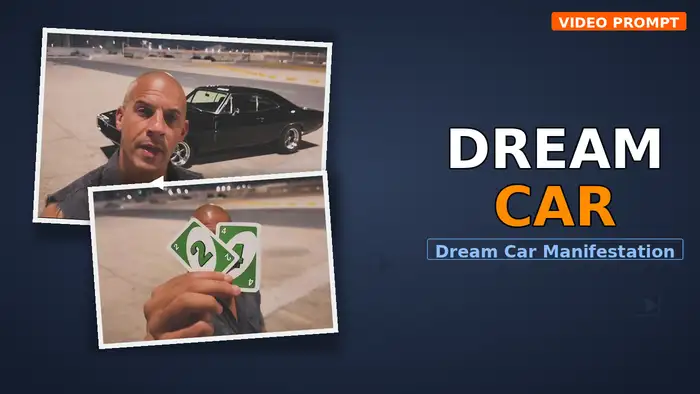
The Dream Car Manifestation trend is taking over Instagram right now. In this viral trend, a person stands in a parking garage at night, does a confident head shake gesture, and suddenly a dream car appears right behind them. As a result, the effect looks incredibly cinematic and is racking up millions of views. In this guide, you will learn how to create your own Dream Car Manifestation video using Google Flow AI with a free prompt that you can copy and paste directly.
Watch the Dream Car Manifestation Reference Video
First, watch the original reference video below to understand the exact motion, timing, and composition of this trend. This is the video you will use as a reference when generating your own version in Google Flow.
Google Flow Settings for Dream Car Manifestation
- Mode: Ingredients
- Aspect Ratio: 16:9 (Horizontal / Landscape)
- Resolution: 720p
- Outputs: 1x
How to Make the Dream Car Manifestation AI Video
Follow these simple steps to create your own version of this viral trend using Google Flow AI.
- First, download the muted reference video from the download button above. You must use the muted version — the original video with sound will cause an “Unable to edit speech” error in Google Flow.
- Next, open Google Flow AI and select the Ingredients mode.
- Then, upload the muted reference video as your reference and upload your own clear photo (a front-facing selfie with your face fully visible works best).
- After that, copy the prompt given below and paste it into the prompt box in Google Flow.
- Finally, set the aspect ratio to 16:9, resolution to 720p, and outputs to 1x, then click Generate.
Dream Car Manifestation Prompt for Google Flow
Before You Paste This Prompt, Check These 5 Things
- Upload the MUTED reference video — the file from the download button above, NOT the original with sound. Uploading a video with audio causes an “Unable to edit speech” error in Google Flow.
- Your own clear photo — a sharp selfie with your full face visible, used as the identity reference
- Google Flow access — free to use at labs.google/flow
- Correct settings — Ingredients mode, 16:9 ratio, 720p, 1x output
- After generating, add the trending sound in CapCut/VN or tap “Use this sound” on Instagram
Copy This Prompt Into Google Flow
Tips for a Better Dream Car Manifestation Video
- Use a high-quality selfie — A clear, well-lit front-facing photo gives the best face replacement results. Avoid blurry or side-angle shots.
- Always use the muted file — The original reference video has background audio that causes errors in Flow. The muted file from the download button above is essential.
- Generate 2–3 times — AI video results vary with each generation. If the first result is not perfect, try generating again with the same prompt for a better output.
- Add the trending sound — After generating your video, open it in CapCut or VN and add the trending audio from the original video. Alternatively, when posting on Instagram, use the “Use this sound” option to add the viral audio directly.
- Try different poses in your photo — A confident, serious expression in your selfie matches the vibe of this trend and produces more realistic results.
Why the Dream Car Manifestation Trend Is Going Viral
This trend has exploded across Instagram with hundreds of millions of views, and for good reason. The combination of a confident character pose, dramatic night parking garage setting, and a dream car magically appearing behind creates a short, cinematic clip that stops viewers mid-scroll. However, the real reason this trend works so well is the emotional hook — everyone has a dream car, and this video lets you “manifest” it in a visually stunning way.
Moreover, the trend ties into the aspirational lifestyle content that performs extremely well on Instagram. Whether it is a Dodge Charger, a Lamborghini, or a classic muscle car, the car appearing behind you creates a powerful visual moment. Additionally, AI tools like Google Flow have made it possible for anyone to create this kind of content without needing a real car or a professional videographer. So if you want to ride this trend and go viral, now is the perfect time to make your version.
Frequently Asked Questions
Why does Google Flow show “Unable to edit speech” error?
This error occurs when you upload a reference video that contains audio or speech. As a result, Google Flow tries to process the speech and fails. To fix this, always use the muted reference video file provided in the download button above. The muted file has no audio, so Flow can process the motion transfer without any issues.
Can I use a different car in this Dream Car Manifestation trend?
The prompt is designed to keep the original car from the reference video. However, if you want a different car, you can try mentioning it in the prompt, but AI video models are not always reliable at changing specific objects. For best results, use the reference video as-is and focus on replacing only the character.
How do I add sound to the generated video?
Since the reference video is muted, your generated video will also be silent. You can add the trending sound in two ways: first, open your generated video in CapCut or VN and add the background music from the original reference video. Second, when posting on Instagram, tap “Use this sound” to automatically attach the viral audio to your reel.
Is Google Flow free to use for this trend?
Yes, Google Flow AI is completely free to use. You can generate videos without any subscription or credits. In addition, simply go to labs.google/flow, upload your reference video and photo, paste the prompt, and generate your video at no cost.
If you enjoyed this Dream Car Manifestation trend tutorial, check out more viral AI video prompts on our site. You might also like our Mercedes Car Edit guide and the Thar Stunt Trend tutorial for more trending AI car videos.