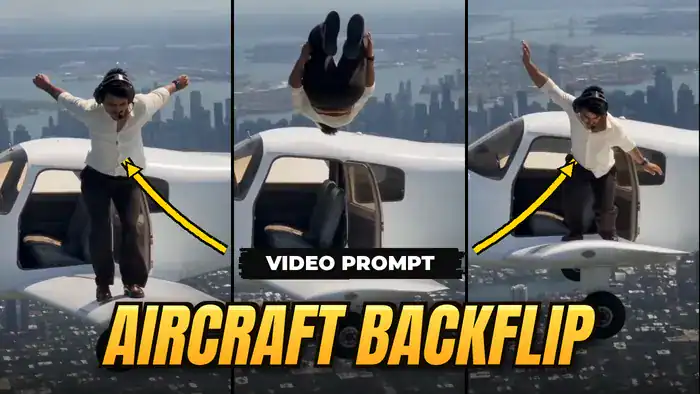
The aircraft backflip video prompt is behind one of the most viral AI Reel trends right now. For example, in the video a man climbs out of a flying plane, stands on the wing high above a city, does a backflip and then gets back inside. Now, you can put yourself in that same video. For this, all you need is Google Flow, the reference video and the free prompt on this page.
What You Need
- First, the reference video (download it below)
- Next, one clear photo of yourself (a full-body photo or a character sheet works best)
- Then, the aircraft backflip video prompt given in this post
- Finally, a Google account to use Google Flow
Download the Reference Video
First, watch the reference video below. In fact, it shows the plane, the wing walk, the backflip and the exact camera movement that the aircraft backflip video prompt copies. So, download it to your phone or laptop before you open Google Flow.
How to Use the Aircraft Backflip Video Prompt in Google Flow
The workflow is simple. First, you upload the reference video and your own photo, then paste the prompt, and finally Google Flow swaps the person in the video with you.
- First, open Google Flow with the button below and sign in with your Google account.
- Next, upload the aircraft backflip reference video you downloaded.
- Then, upload your own photo. This is the person who will appear in the final video.
- After that, copy the prompt from the box below and paste it into Flow.
- Finally, click Generate and wait for your video to be ready.
Copy the Aircraft Backflip Video Prompt
Next, tap the Copy button below. After that, the full prompt is instantly copied to your clipboard. Also, keep the prompt as it is, because it locks the plane, the city, the camera and the timing, and only replaces the person.
The uploaded reference video is the PRIMARY SOURCE for the entire video. Reproduce the reference video as closely and faithfully as possible.
IMPORTANT: Do NOT recreate or reinterpret the scene. Do NOT generate a new version of the action. Perform a direct character replacement while preserving the original video.
The person from the uploaded character sheet must completely replace the original person in the reference video.
Preserve the uploaded character’s exact identity and appearance from the character sheet: face, facial structure, hairstyle, hair texture, skin tone, body proportions, physique, clothing, footwear and all other visible identity-defining details. The character must remain visually consistent throughout the entire video.
MOTION TRANSFER:
Transfer the original person’s EXACT movements and performance to the replacement character.
Preserve the exact body movements, gestures, arm and hand movements, leg and foot movements and body posture. Also keep the exact walking, climbing, leaning, crouching or standing movements, the exact timing of every movement and the exact interaction with the aircraft. Finally, keep the same movement direction, speed and rhythm of the original performance.
The replacement character must perform the same choreography and physical actions as the original person, frame by frame, as closely as possible.
CAMERA PRESERVATION:
Keep the original reference video’s camera movement, camera angle, framing, perspective, lens characteristics, camera distance, tracking movement, shake, motion blur and timing unchanged.
ENVIRONMENT PRESERVATION:
Do not change the airplane, aircraft design, wings, cockpit, open door, city, sky, clouds, lighting, shadows, background, environment or any other object.
Do not add anything new.
TIMING:
Preserve the original video’s exact duration and complete sequence. Do not shorten, extend, slow down or speed up the action.
IDENTITY REPLACEMENT RULE:
Every visible appearance of the original main person must be replaced by the uploaded character-sheet person, including when the person enters or exits the aircraft, becomes partially occluded, moves through motion blur, turns away from the camera, or is briefly hidden.
The original person’s identity must not remain visible.
PHYSICAL CONSISTENCY:
The replacement character must remain physically connected to the aircraft exactly as the original person does. Preserve realistic contact between hands, feet, body and aircraft surfaces.
Maintain realistic anatomy, hands, limbs, clothing deformation, hair movement, shadows, reflections and motion blur.
Do NOT alter the original choreography to accommodate the replacement character.
FINAL RESULT:
The final video should look like the ORIGINAL reference video was filmed with the uploaded character-sheet person instead of the original person.
Everything should remain the same except the identity/appearance of the main human character.
No new scene, camera movement or action. Also, no additional characters or objects, no cuts, no transitions, no style change and no cinematic reinterpretation.
DIRECT CHARACTER REPLACEMENT ONLY.
As a result, the aircraft backflip video prompt makes the AI copy every move from the original clip: the climb out, the wing walk, the backflip and the climb back in.
Tips for a Better Result
- First, use a sharp, well-lit photo where your face is clearly visible.
- Besides, a full-body photo works better than a selfie, because the whole body appears on the wing.
- However, if the face does not match well, try a different photo and generate again.
- Also, do not edit the prompt. Small changes can make the AI change the scene or the action.
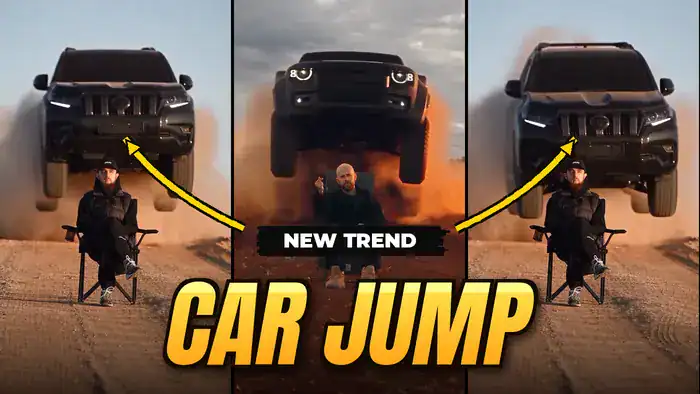
That’s it, so with this aircraft backflip video prompt your Reel is ready to post. If you liked this trend, also try the Fairy AI video and the Toyota car jump AI video. In addition, both are made with Google Flow too.