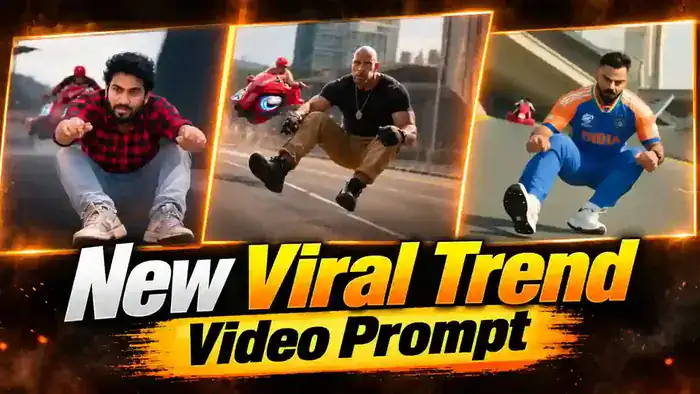
The Virat Kohli Dream Ride AI video is the newest trend taking over Instagram Reels. In this video, you record a selfie vlog with your favourite cricketer at the stadium, and then you both ride off together on a green sports bike. It looks like a real phone video, but it is 100% made with AI.
In this post, you get everything you need for free: the reference images, the character sheet prompt and the full Higgsfield Seedance 2.5 prompt. First, watch the video. Then follow the steps below and make your own version in a few minutes.
Watch the Virat Kohli Dream Ride AI Video
This is the final result you will get. Watch it once so you know the exact Virat Kohli Dream Ride shots: the stadium selfie, the shoulder pat, the bike ride, the exhaust smoke and the thumbs-up at the end.
You can also download the video and keep it as a reference while you generate.
Why the Virat Kohli Dream Ride Trend Is Going Viral
Every cricket fan has one dream: to meet their hero and spend a few minutes with him. The Virat Kohli Dream Ride trend turns that dream into a video. That is why these reels are getting millions of views and thousands of shares on Instagram.
Also, the video looks like a raw phone vlog, not a cinematic edit. So viewers watch it till the end, and many of them comment asking how it was made. If you post it early, your reel has a big chance to go viral too.
Reference Images for the Virat Kohli Dream Ride Video
You need 4 images to make the Virat Kohli Dream Ride video. We have already given 3 of them below. Just tap on any image to open it in full size, then long-press (or right-click) and save it.
1. Cricketer Character Sheet

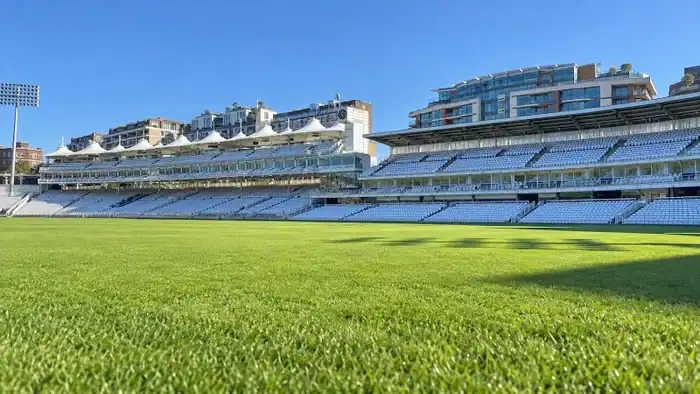
2. Stadium Location
3. Bike Reference Sheet

4. Your Own Character Sheet (Vlogger)
The fourth image is you. Since you are the vlogger in this video, you need your own character sheet. Here is an example of how it should look. Next, we will show you how to make yours.

How to Make Your Own Character Sheet
A character sheet shows your face from many angles. In the Virat Kohli Dream Ride video, you appear in almost every shot. Because of this, the AI keeps your face the same in every shot. Follow these simple steps:
- Take one clear selfie. Your full face must be visible, in good light. Do not use a blurry photo.
- Open any AI image tool, such as Gemini (Nano Banana), ChatGPT or Higgsfield.
- Upload your selfie and paste the character sheet prompt given below.
- Generate the image and save it. This is your Vlogger image.
Character Sheet Prompt
How to Make the Virat Kohli Dream Ride Video with Higgsfield Seedance 2.5
The original Virat Kohli Dream Ride video was made with Seedance 2.5 on Higgsfield. It makes the full 20-second video in one generation, with the stadium scene, the cut and the bike ride. So you do not need to join any clips later. Note that Seedance 2.5 uses Higgsfield credits.
Why only Higgsfield? We tested Google Flow in both ways. First, Flow does not accept the cricketer image, because it blocks photos of well-known public figures. After that, we also tried a reference video, but Flow blocks that too because the cricketer face is in the video. So this trend can only be made with Higgsfield Seedance 2.5.
Steps to Generate in Higgsfield
- Open Higgsfield and go to Video, then select the Seedance 2.5 model.
- Upload all 4 images: your character sheet, the cricketer sheet, the stadium image and the bike sheet.
- Name each image exactly like this: Vlogger, Cricketer, Location and Bike.
- Copy the Seedance prompt below and paste it.
- Connect each tag in the prompt (@Vlogger, @Cricketer, @Location, @Bike) to its matching image.
- Set the duration to 20 seconds, 9:16 ratio and audio on. Then tap Generate.
Before You Paste the Prompt, Check These 4 Things
- All 4 images uploaded: your character sheet, the cricketer sheet, the stadium image and the bike sheet.
- Correct names: Vlogger, Cricketer, Location and Bike, exactly as written in the prompt.
- Every tag connected: @Vlogger, @Cricketer, @Location and @Bike must each be linked to its image.
- Settings: Seedance 2.5, 20 seconds, 9:16 vertical, audio on.
Virat Kohli Dream Ride Prompt for Seedance 2.5
Create a photorealistic, RAW, CANDID handheld smartphone vlog with two scenes and one hard cut at 8 seconds.
PRIMARY VISUAL PRIORITY:
The CRICKETER is the main subject for most of the video.
The vlogger records and reacts, but consistently composes the phone footage to feature the cricketer prominently. Whenever both faces are visible, keep the cricketer clearly recognizable, well exposed and in readable focus.
The vlogger may appear partly at the edge of the frame during shared compositions. His face and shoulder must not repeatedly block the cricketer. Keep solo reaction shots brief.
REFERENCE LOCKS:
@Vlogger: Exact vlogger identity, hairstyle, skin tone, outfit and accessories.
@Cricketer: Exact cricketer identity, hairstyle, skin tone, outfit and accessories.
@Location: Exact cricket stadium interior and recognizable surroundings.
@Bike: EXACT motorcycle, including its design, paint, tank, seat, wheels, mirrors, engine and exhaust position. No substitutions or modifications.
HEIGHT:
Cricketer: 5 feet 7 inches / approximately 170 cm.
Vlogger: 6 feet 2 inches / approximately 188 cm.
Maintain the 7-inch / 18 cm height difference through realistic body proportions. Make it clearly visible when they stand together on the same level ground.
Preserve the same identities, hairstyles, clothing, footwear and accessories throughout both scenes.
ABSOLUTELY NO DIALOGUE:
No character speaks, whispers, mouths words or makes spoken reactions. No voiceover, narration, background conversations or music. Use expressions and gestures only, with natural environmental sound.
0–3 seconds:
Inside the referenced stadium, the vlogger records with the front-facing phone camera at arm’s length.
Use an off-center selfie composition: the vlogger is partly in the foreground at one side, while the cricketer is prominently visible beside and slightly behind him.
The cricketer briefly checks the bat and his grip, then performs two compact, relaxed practice batting strokes. Keep his face, hands and bat action readable.
The vlogger briefly looks back at him with pride, then looks into the lens and smiles. These reactions happen while the camera continues featuring the cricketer.
Include natural wrist movement and small framing corrections as the vlogger tries to keep him in view. A kit bag rests within easy reach of the cricketer.
3–5 seconds:
The cricketer finishes practicing, keeps the bat in one hand, picks up his kit bag with the other and slips the strap over his shoulder.
He takes one or two short steps toward the vlogger.
The vlogger makes a small, slightly imperfect phone adjustment to follow his approach. Keep the cricketer as the primary subject throughout this movement.
Maintain visible, physically consistent handling of the bag and bat.
5–7 seconds:
The cricketer stands beside the taller vlogger and gives him one gentle, friendly shoulder pat with his free hand.
He smiles toward the phone camera and gives a small head turn and chin gesture toward the exit, silently conveying “let’s go.”
He does not say or mouth anything.
The vlogger smiles and gives a small acknowledging nod.
Keep the cricketer near the center of the shared frame. Clearly show the vlogger’s taller height without cropping the cricketer awkwardly.
Allow a small natural camera bob from the shoulder pat and the vlogger’s reaction.
7–8 seconds:
The vlogger lowers the phone naturally toward his chest and waist as if ending the recording.
The view dips downward with a slightly uneven handheld movement, briefly showing clothing and the ground.
His hand or clothing covers the lens for the final fraction of a second.
At exactly 8 seconds, make one clean hard cut to the motorcycle recording. No interface graphics or transition effects.
8–9 seconds:
Open on a moving motorcycle selfie composition that includes the happy vlogger near one edge and the cricketer prominently ahead of him.
The cricketer rides the exact reference motorcycle at a visibly brisk, believable road speed along a quiet access road near the stadium.
The vlogger sits behind him as the passenger and holds the phone.
Their clothes and identities remain unchanged. The bat has been stowed in the same kit bag during the implied time between scenes, and the bag is securely carried on the vlogger’s back.
Show real airflow, passing surroundings and noticeable but readable handheld movement.
9–11 seconds:
The vlogger leans forward slightly and extends the phone outward beside the rider’s shoulder to frame the cricketer’s face and upper body clearly.
Give the cricketer the dominant composition.
The cricketer briefly glances toward the camera, smiles and looks ahead again.
The phone makes small, irregular adjustments as the vlogger maintains the angle from the moving motorcycle. His exposed hair reacts more strongly to the wind.
11–12 seconds:
The vlogger briefly brings the camera back toward himself for a happy smile.
Use a shared selfie angle that retains part of the rider in view where physically possible. Avoid lingering on a close-up of the vlogger.
Continue natural phone vibration, hair movement and airflow through clothing.
12–15 seconds:
The vlogger moves the phone outward on the motorcycle’s actual exhaust side and angles it downward and slightly backward.
The movement must be continuous and achievable from the passenger seat. Include a small natural overshoot and correction as he finds the silencer in the frame.
Clearly show the existing exhaust outlet and the moving road.
A short, throaty engine rev produces one noticeable puff of grey exhaust smoke, synchronized precisely with the sound.
The smoke emerges directly from the silencer, trails backward in the airflow and disperses. Preserve the reference motorcycle’s exact exhaust design and placement.
15–17 seconds:
The vlogger raises the phone back up.
Briefly catch his delighted smile, then continue the same movement toward the cricketer so the rider becomes the main subject again before this interval ends.
Keep this spontaneous, as though the vlogger wants to share his excitement and immediately show the rider again.
Hair, fabric and camera movement continue responding naturally to the motorcycle’s speed.
17–20 seconds:
Hold a clear handheld view of the cricketer from beside his shoulder.
He briefly acknowledges the phone, smiles and gives one clear thumbs-up with his free hand while keeping his other hand on the handlebar.
Keep the cricketer as the dominant subject during the final moment. The vlogger may be partially visible at the edge.
Let the thumbs-up read clearly, then allow the hand to return naturally toward the handlebar.
End at exactly 20 seconds, with no extra shot, fade or end card.
HANDHELD CAMERA REALISM — IMPORTANT
The camera must visibly feel held by a real person.
Include irregular wrist drift, small vertical and sideways movements, subtle roll, momentary framing imperfections and natural corrective adjustments.
In the stadium, camera movement responds to the vlogger turning his head, shifting his posture and receiving the shoulder pat.
On the motorcycle, add believable road vibration, small bumps, wind pressure against the phone hand and body movement from the passenger seat.
Use only enough smartphone stabilization to keep the footage watchable. Retain visible hand movement and road texture.
Avoid locked-off shots, perfectly smooth gimbal movement, artificial floating, cinematic tracking or uniform repeated shaking.
Allow brief natural motion blur during quicker phone movements, followed by readable framing. Do not smear faces or distort the motorcycle.
All viewpoints come from the same handheld phone. No external camera, impossible arm reach, detached exhaust close-up or camera teleportation.
Scene 1 is continuous.
Scene 2 is continuous.
The only cut is at 8 seconds.
WIND AND PHYSICAL REALISM
Both characters’ hair moves continuously with the airflow, with loose strands fluttering backward.
Preserve each reference hairstyle, hairline, length and volume. Short hair moves subtly; longer strands move more visibly.
The vlogger experiences stronger airflow when leaning outward and less when sheltered behind the rider.
Collars, sleeves and loose fabric flutter in the same wind direction. Bag straps show small movements while the bag stays secure.
Keep seated body proportions realistic, accounting for seat height and posture. Do not force an artificial standing-height gap into seated framing.
Match all hair, fabric, smoke, background and camera movement to the same motorcycle speed.
LOOK AND SOUND
Keep the entire video raw, candid and spontaneous.
Preserve natural skin texture, facial detail, hair, fabric and motorcycle materials. No beauty filters, waxy skin or excessive smoothing.
Keep the cricketer readable in shared shots. Avoid shallow background blur that makes him unrecognizable.
Use stadium ambience, footsteps, bag handling and the soft shoulder pat in the first scene.
Use engine sound, road noise and natural phone-microphone wind in the motorcycle scene. Synchronize the rev with the exhaust puff.
No human speech, mouthing words, vocal reactions, background conversations or music.
AVOID
Identity changes, wardrobe changes, reversed heights, equalized proportions, substituted motorcycles, changing paint, mirrored exhaust placement, swapped rider/passenger positions, disappearing props, extra passengers, distorted hands, extra fingers, duplicated limbs, extreme shaking, perfectly stabilized footage, excessive background blur, additional cuts, slow motion, speed ramps, tire smoke, fire, subtitles, text overlays and watermarks.
Tips for a Better Virat Kohli Dream Ride Result
- Use a sharp character sheet. A blurry selfie gives a blurry face in the video.
- Do not change the tag names. If a tag is not connected to an image, the AI will invent a new person or a new bike.
- Generate 2 or 3 times and keep the best Virat Kohli Dream Ride clip. Every generation comes out a little different.
- If the bike or face looks wrong, check that the correct image is tagged before you generate again.
- This is an AI fan edit. So always mention that the video is made with AI, and never use it to fool people.
Frequently Asked Questions
Which AI tool is used for the Virat Kohli Dream Ride video?
Higgsfield with the Seedance 2.5 model. It creates the full 20-second video from your 4 images and the prompt.
Do I need a reference video for this trend?
No. This trend works with images only. The prompt itself tells the AI every movement, second by second.
Can I make this video in Google Flow?
No. We tested it with both an image and a reference video, and Google Flow blocks both because of the cricketer face. So the Virat Kohli Dream Ride video can only be made with Higgsfield Seedance 2.5.
Can I use another cricketer or another bike?
Yes. Just upload a different character sheet or bike image in place of ours. The prompts will work the same way.
Is Seedance 2.5 free?
No. Seedance 2.5 uses Higgsfield credits. So check your credit balance before you tap Generate.
That is all you need to make the Virat Kohli Dream Ride AI video. If you liked this trend, also try the Aura Edit VIP entry prompt and the Frog viral trend. Save this post, make your video and share it on Instagram today.