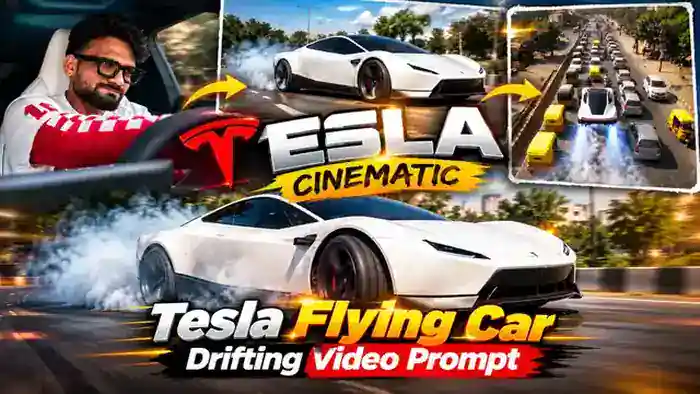
The Tesla Flying Car Drifting video is the newest car trend on Instagram. Tesla has launched its new car, and creators are now making cinematic AI videos where they sit in a white Tesla, drift it on busy Indian roads with smoke from the tyres, and then the car flies over the traffic. These reels are getting very good views right now.
The best part is that you can make this Tesla Flying Car Drifting video with your own photo for free using Google Flow. You only need the reference video, one clear photo and the prompt below. In this article, you get all three, plus the simple step-by-step process.
Watch the Tesla Flying Car Drifting Reference Video
First, watch the reference video below. Your AI video will copy this same car, drifting action and camera movement. Next, download it with the button below, because you will upload it in Google Flow.
Why the Tesla Flying Car Drifting Trend Is Going Viral
Tesla is one of the most searched car brands in the world, and every new Tesla launch becomes a big topic on social media. So when people see a regular creator driving and drifting a brand-new Tesla on an Indian road, they stop scrolling. It looks like a big-budget car shoot, but it is made with AI in a few minutes.
Also, the flying car ending is a pure surprise moment. Viewers watch the reel again, share it with friends and comment on it. That is why this trend is pulling strong views right now, and your version can go viral too if you post it early.
Why Tesla Is Used in This AI Car Trend
Tesla is known for its futuristic electric cars, clean white design and fast acceleration. However, most people in India have never driven one. This AI trend lets anyone feel that dream for a few seconds, which is why Tesla cars work so well for viral car edits.
How to Make Tesla Flying Car Drifting Video in Google Flow
The process is simple. Follow these steps one by one:
- First, download the reference video from the button above.
- Next, open Google Flow and select the Ingredients mode.
- Then upload the reference video and one clear photo of yourself.
- After that, copy the prompt below and paste it into the prompt box. Tag @video1 as the reference video and @image1 as your photo.
- Now select 9:16 vertical format and 10 seconds.
- Finally, click Generate. Your Tesla drifting video will be ready in a few minutes.
Before You Paste This Prompt, Check These 4 Things
- Reference Video: Download the reference video above and upload it in Google Flow. It gives Flow the exact car, drifting moves and camera angles.
- Clear Photo: Upload one clear selfie or front photo with your face fully visible. A blurry photo gives a different face in the video.
- Correct Tags: In the prompt, @video1 is the reference video and @image1 is your photo. Type @ in Flow and select the right file for each tag.
- Settings: Select 9:16 vertical and 10 seconds. If the video comes out without music, add the original sound later in CapCut or VN.
Tesla Flying Car Drifting Video Prompt (Free)
Copy the full prompt below and paste it into Google Flow with your reference video and photo.
DURATION: 10 seconds.
ASPECT RATIO: Vertical 9:16.
IDENTITY:
Use @image1 as the ONLY identity reference for the main person. Preserve the uploaded person’s recognizable facial features, skin tone, hairstyle, and identity. Do not copy the original person’s face from @video1. Keep the same person’s identity consistent throughout every shot.
REFERENCE VIDEO:
Use @video1 as the master reference for the complete video. Recreate the same white Tesla Cybertruck, driving scenes, drifting actions, Indian roads, surrounding traffic, buildings, environment, lighting, camera angles, framing, shot sequence, transitions, and movement as closely as possible.
ACTION AND TIMING:
Follow the original sequence of events in @video1. Match the timing, vehicle movements, driving direction, drifting motion, camera movement, and transitions. Do not invent additional scenes or change the original sequence.
VEHICLE:
Keep the white Tesla Cybertruck consistent with the reference video. Preserve its recognizable design, shape, proportions, and color throughout all shots.
REALISM:
Create realistic vehicle motion, natural road contact, believable drifting physics, consistent shadows, and cinematic lighting. Keep the main person’s face recognizable and consistent. Avoid facial distortion, identity changes, flickering, and unnatural movements.
AUDIO:
Preserve the original background music and its timing from @video1 if supported. Do not add dialogue, voice-over, or unrelated sound effects.
STRICT RULES:
– No text anywhere in the video.
– No titles, captions, subtitles, labels, or added lettering.
– No added logos, watermarks, or graphic overlays.
– Do not change the car, environment, or original scene sequence.
– Do not add extra people or unrelated objects.
– Do not alter the uploaded person’s identity.
– Do not create new scenes that are absent from @video1.
FINAL RESULT:
A realistic 10-second vertical recreation of @video1 featuring the person from @image1, with the original scene sequence, white Tesla Cybertruck, driving and drifting actions, camera movements, and music preserved as closely as the tool allows.
Tips for the Best Result
- Use a bright, sharp photo. Your face stays the same in every shot.
- If Flow shows an error with the reference video, mute it in CapCut or VN first and upload it again.
- Generate 2 to 3 times and pick the best one, because every result is a little different.
- After generating, add the original trending sound in CapCut or VN before posting.
Frequently Asked Questions
Is the Tesla Flying Car Drifting video free to make?
Yes. Google Flow gives free credits, so you can make this video with the free prompt on this page.
Do I need a real Tesla car?
No. The car, the road and the drifting are all made by AI. You only need your photo and the reference video.
Why is my face different in the video?
This usually happens with a blurry or side-angle photo. So use a clear front photo with your full face visible and generate again.
Can I use this prompt in other AI tools?
Yes. The prompt works in any tool that accepts a reference video and a photo, such as Higgsfield. However, Google Flow is the easiest free option.
That’s it! Now make your own Tesla Flying Car Drifting video and post it while the trend is hot. For more car trends, also try the Toyota Car Jump New Trend and the Mercedes Car Edit prompts.