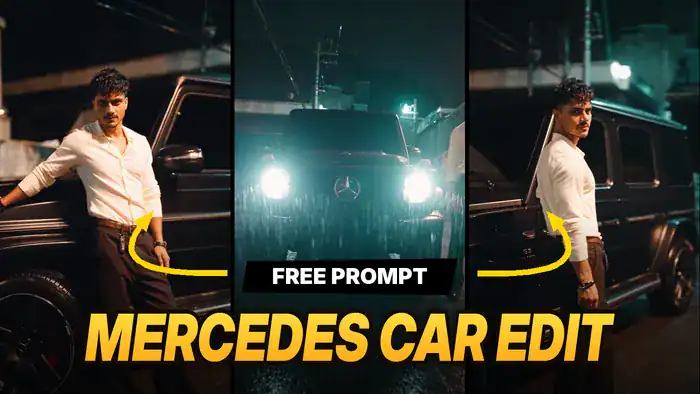
The Mercedes Car Edit is one of the hottest AI trends on Instagram right now. In the clip, a stylish guy poses next to a matte-black Mercedes G-Wagon on a rainy night street, with glowing headlights and cinematic shots. Now creators are making the same edit with their own face. However, you don’t need any editing skills for it.
So, in this post you will get the reference video, the full prompt, the exact Google Flow settings, and the simple step-by-step method to make it yourself.
Download the Mercedes Car Edit Reference Video
First, watch the original clip. After that, notice how Google Flow copies every shot, camera move and cut from this video.
Next, tap the download button below and save this video. Then, you will upload it to Google Flow in the next step.
Copy the Mercedes Car Edit Prompt
Now copy this prompt. Because it locks the shots, timing and camera moves, your video looks just like the original, but with your face. Here, @video1 is the reference video, @image1 is your photo, @image2 is the car and @image3 is the location.
Preserve the exact original shot sequence, subject positions, actions, choreography, timing, camera movement, camera angles, framing, composition, pacing and cuts.
Replace the main character with @image1. Preserve his exact face, hairstyle, sunglasses, Same outfit, body proportions and styling in the reference image.
Replace the car with @image2 in all the scenes. Preserve its exact design, proportions, wheels and matte-black appearance in the reference image.
Change the location/background with @image3. Match its exact pavement, lighting, Area and overall atmosphere and Backround.
Keep the character and vehicle in the EXACT SAME positions and scale as the original throughout every shot.
Do not inherit any face, clothing, vehicle design or environment details from @video1
Photorealistic, cinematic, realistic reflections and shadows, natural motion, strong identity consistency, no morphing, no redesign.
In short, this one prompt does all the work in the Mercedes Car Edit, so paste it exactly as it is.
Google Flow Settings
Before you generate the Mercedes Car Edit, also set these options in Google Flow. Otherwise, the result may not match the original.
- Mode: Ingredients
- Model: Omni Flash
- Quality: 720p
How to Make the Mercedes Car Edit in Google Flow
Once you have the video and the prompt, follow these steps. As a result, you will get the same Mercedes Car Edit with your own face.
- Open Google Flow: First, tap the “Open Google Flow” button below and sign in with your Google account.
- Choose the settings: Next, select Ingredients, Omni Flash and 720p.
- Upload the reference video: Then, upload the reference video you downloaded above.
- Upload your photo: After that, upload a clear photo of yourself. Optionally, you can also add a car photo and a location photo, as the prompt mentions.
- Paste the prompt: Now paste the Mercedes Car Edit prompt you copied above.
- Generate: Finally, hit Generate, wait a few minutes, and download your video.
Better Motion: Make the Mercedes Car Edit in Higgsfield Genjutsu
However, if you want perfectly accurate motion, you can also make this edit in Higgsfield. Its Genjutsu model copies every move from the reference video even more closely, so the result looks better. But keep in mind that Higgsfield is a paid tool.
- Open Higgsfield: First, tap the “Open Higgsfield Genjutsu” button below and sign in.
- Select Genjutsu: Next, select the Higgsfield Genjutsu model.
- Upload video and photo: Then, upload the reference video and your photo.
- Paste the prompt: After that, paste the same prompt from above.
- Generate: Finally, hit Generate and your video is ready.
Tips for a Better Result
Also, keep these small tips in mind. In short, better photos give you a better Mercedes Car Edit.
- Use a clear, front-facing photo with good light.
- Avoid group photos or photos where your face is hidden.
- Also, if the face or car looks different in some shots, generate again with a sharper photo.
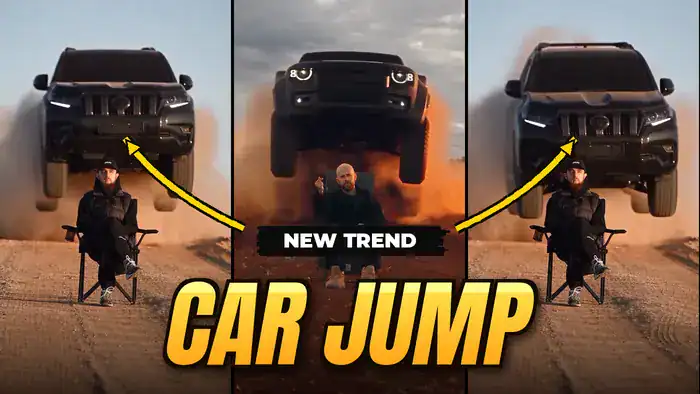
That’s it! Now your Mercedes Car Edit is ready to post as a Reel. Finally, if you like car trends, also try the Viral Mercedes Car AI Video and the Toyota Car Jump AI Video.