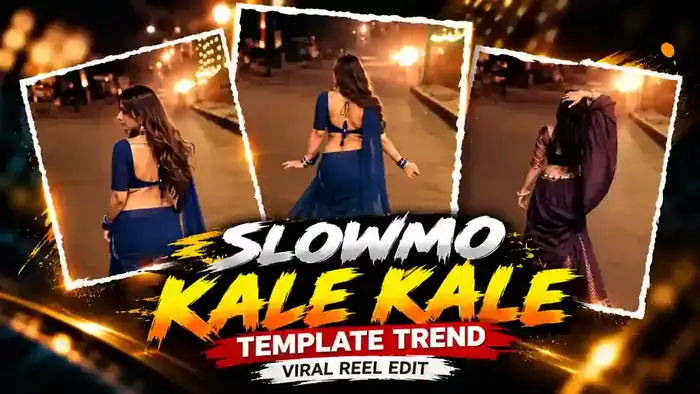
The Kale Kale Template is one of the most viral slowmo CapCut templates on Instagram right now. In these reels, a girl in a saree or lehenga walks on a glowing night street, and the video turns into a smooth slow motion on the beat of the “Kale Kale” song, with a dreamy cinematic look.
The best part is that you do not need any editing skills. You just open the template, add your own clip or photos, and CapCut makes the full slowmo edit for you. In this post, you get the free template link, the reference video and simple steps to make your reel in one minute.
Watch the Kale Kale Template Video
First, watch the reference video below so you know exactly how your reel will look.
Why the Kale Kale Template Is Going Viral
This is a new Instagram trend, and creators everywhere are posting their own version. The slow motion on the beat makes even a simple walk look like a music video. Also, the song is trending, so these reels keep people watching till the end.
So, if you post your version while the trend is hot, your reel has a much better chance to reach new people.
Before You Start: Keep These 3 Things Ready
- VPN (India only): CapCut is banned in India, so the template shows “User Not Found”. Connect any free VPN to Hong Kong or Singapore before you tap the button. Users outside India do not need a VPN.
- CapCut App: Install or update the CapCut app on your phone.
- Your Clip: Keep a walking or twirling clip of yourself ready in your gallery. Night or golden light clips look best.
Kale Kale Template CapCut Link
Tap the button below. After the short timer, the template opens directly in CapCut. If you are in India, connect your VPN first.
How to Use the Kale Kale Template in CapCut
Step 1: Connect a VPN (India Only)
First, if you are in India, open any free VPN app and connect to Hong Kong or Singapore. Without a VPN, the template shows “User Not Found”. If you live outside India, skip this step.
Step 2: Open the Template
Next, tap the Use This Template button above. The template opens directly in the CapCut app.
Step 3: Select Your Clip or Photos
Then tap Use Template in CapCut and select your own clip or photos from the gallery. After that, tap Next, and CapCut adds the slow motion and effects for you.
Step 4: Export and Post
Finally, preview your video and tap Export. Your slowmo reel is ready. Upload it on Instagram with the trending “Kale Kale” audio.
Tips for a Better Result
- Record a slow walk or a twirl, so the slow motion looks smooth.
- Night clips with street lights or fairy lights match this template best.
- Vertical (9:16) clips look best in this template.
- If the template shows “User Not Found”, turn the VPN off and on again, then tap the button once more.
Frequently Asked Questions
Is the Kale Kale Template free?
Yes. The CapCut template and the CapCut app are both free to use.
Why does the template show “User Not Found”?
CapCut is banned in India. So connect a VPN to Hong Kong or Singapore, then tap the template button again.
Can I use photos instead of a video?
Yes, but a short walking or twirling video gives the best slow motion effect.
Do I need a VPN outside India?
No. Outside India, the template opens normally in CapCut without any VPN.
That is all you need for the Kale Kale Template. For more trending edits, also check the Viral Template Trend and the Navratri Slow Motion Template. You can also visit the official CapCut website.