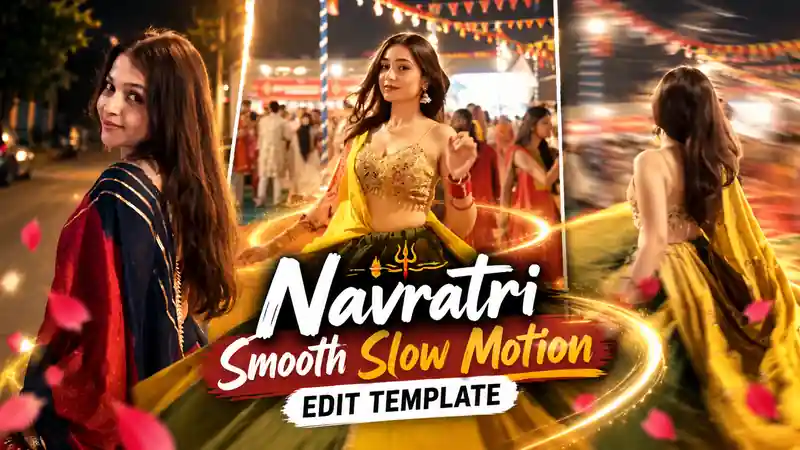
The Navratri Slow Motion Template is one of the most viral CapCut trends on Instagram this Navratri. In these reels, a girl in a lehenga twirls during Garba, and the video suddenly turns into a super smooth slow motion with flowing dupatta, glowing lights and a dreamy festive feel.
The best part is that you do not need any editing skills. You just open the template, add your own Garba clip, and CapCut does the full edit for you. In this post, you get 2 Navratri slow motion templates, the reference video of each one and simple steps to make your reel in one minute.
Before You Start: Keep These 3 Things Ready
- VPN Connected: CapCut templates do not open in India. So connect a free VPN to Singapore or Hong Kong first, otherwise the link shows “Not Found”.
- CapCut App: Install or update the CapCut app on your phone.
- Your Garba Clip: Keep a video of your Garba, Dandiya or lehenga twirl ready in your gallery.
Navratri Slow Motion Template 1 (Most Popular)
This is the most popular version of the trend. First, watch the reference video below to see how the final edit looks.
Get Navratri Slow Motion Template 1 Link
Connect your VPN, then tap the button below. After 15 seconds, the template will open directly in CapCut.
Navratri Slow Motion Template 2 (New Version)
Want a different style? This is the second version of the same slow motion Garba trend. Watch its reference video first.
Get Navratri Slow Motion Template 2 Link
Again, keep your VPN on and tap the button. The second template will open in CapCut after 15 seconds.
Why the Navratri Slow Motion Template Is Trending
Navratri is the biggest season for Garba reels on Instagram, and these slow motion edits are getting millions of views. The reason is simple. Slow motion makes every twirl look cinematic, so the lehenga flare, the dupatta flow and the festive lights look like a movie scene.
Also, people normally need a good editor or a costly camera for this kind of smooth slow motion. However, with this template, anyone can make it from a normal phone video in one minute. So if you post your own version during Navratri, you have a real chance to go viral too.
How to Use the Navratri Slow Motion Template in CapCut
The process is very simple. You only need the free CapCut app. Follow these steps one by one:
- First, connect a free VPN on your phone and choose Singapore or Hong Kong as the location.
- Next, tap the Use This Template button of the template you like above and wait 15 seconds.
- Then the template opens in the CapCut app. Tap Use Template.
- After that, select your Garba or lehenga twirl video from the gallery and tap Next.
- Finally, wait a few seconds for CapCut to make the edit, then export the video without watermark and post it on Instagram.
Tips for the Best Navratri Slow Motion Edit
- Use a clip where you spin or twirl, because slow motion looks best on fast movement.
- Record in good light, like under Garba lights or near the stage, so the video stays sharp.
- Keep your phone steady while recording. A shaky clip looks blurry in slow motion.
- Wear a flowing lehenga or chaniya choli, because the flare looks amazing in slow motion.
- Post it in the evening during Navratri, when Garba reels get the most reach.
Frequently Asked Questions
Is the Navratri Slow Motion Template free?
Yes. Both templates on this page are free to use in the CapCut app.
Why does the template link show “Not Found”?
CapCut templates do not open directly in India. So connect a VPN to Singapore or Hong Kong first, then tap the template button again.
Can I use photos instead of a video?
A video works best, because the slow motion effect needs real movement. However, you can still add a photo, but the result will not look as smooth.
Which template should I use?
Watch both reference videos above and pick the one you like more. Template 1 is the most popular, while Template 2 gives a slightly different look.
That’s it! Now make your own Navratri Slow Motion Template reel and post it this Navratri. For more festive trends, also try the Garba Dance AI Video and the Chalrey Chalrey Template.