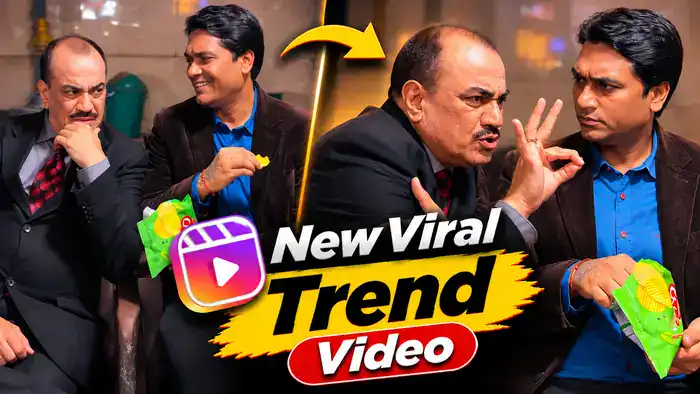


The Fire Walk AI Video is the new viral trend on Instagram right now. A person walks slowly toward the camera on a dark road at night, and suddenly a huge orange burst of light and smoke blasts up behind them – but they keep walking with full attitude, without even looking back. You can make this exact cinematic video with just one photo of yourself and our free Google Flow prompt.
Why the Fire Walk AI Video Is Going Viral on Instagram
This is a brand-new Instagram trend, and these reels are getting millions of views. First, the calm walk builds curiosity. Next, the sudden orange blast gives a big wow moment, just like a movie scene. Also, the “walking away cool” attitude makes people watch the reel again and again. So, if you post your version early, your reel has a very good chance to go viral too.
Watch the Fire Walk AI Video Reference Video
This is the reference video for the Fire Walk AI Video. Google Flow copies its walk, camera, timing and the orange burst behind the person, and only changes the person to you. Download the reference video from the button right below the video.
How to Make the Fire Walk AI Video in Google Flow
- First, download the reference video from the button above.
- Next, open Google Flow and select Ingredients mode.
- Then upload the reference video and one clear photo of yourself. Boys and girls both can make this trend.
- After that, copy the prompt below and paste it. Tag the video as @video1 and your photo as @image1 (type @ and select them).
- Now select the ratio 9:16 and tap Generate.
- Finally, download your video and add a trending song in VN or CapCut.
Before You Paste This Prompt, Check These 4 Things
- Muted video: upload the muted reference video from the download button – a video with sound can give an error in Google Flow.
- Clear full photo: use a sharp, front-facing photo where your face and full outfit are visible.
- Your own clothes: your outfit comes from your photo, so wear the look you want in the video.
- Right tags: @video1 is the reference video and @image1 is your photo.
Fire Walk AI Video Prompt (Copy and Paste)
Copy this full Fire Walk AI Video prompt. It keeps the walk, the camera and the orange burst of the reference video, and only changes the person to you. It is also written to avoid the Google Flow policy error.
Replace the main character with @image1. Preserve the image reference’s complete character design: face, hair, body proportions, skin tone, clothing, and distinctive details. Reproduce the video’s confident walk and expressions naturally while keeping the character recognizable and consistent throughout.
The bright orange burst and smoke behind the character are a harmless cinematic Diwali celebration light effect far in the background; the character walks calmly toward the camera and nobody is hurt.
Keep the original environment, lighting, duration, aspect ratio, and audio. Change only the character’s appearance.
NEGATIVES: identity swaps, appearance drift, altered actions, extra characters, distorted faces, extra limbs, fire touching the character, injury, flickering, new scenes, text, watermarks.
Another Fire Walk AI Video Reference (Same Prompt)
Here is one more Fire Walk AI Video reference. You can use the same prompt above with this video too. First, download the muted video from the button below. Then upload it in Google Flow with your photo, paste the same prompt and generate.
Add Music and Post Your Reel
The video from Google Flow comes without the original sound. So open it in VN or CapCut and add a trending attitude song or a slow-motion beat. Then post it as a Reel with trending hashtags.
Tips for a Better Result
- Use a full-body photo so Google Flow can match your walk and outfit.
- Dark or bold outfits look best against the orange burst.
- Keep your photo free of sunglasses and filters so your face stays clear.
- If one part looks different, simply generate once more with the same prompt.
Frequently Asked Questions
Can boys also make the Fire Walk AI Video?
Yes. The prompt says “main character”, so any boy or girl can upload a photo and make it.
Why should I use the muted video?
A reference video with sound can give a speech or audio error in Google Flow. The muted video avoids that, and you can add music later.
Why does the prompt call the blast a celebration effect?
Google Flow can block videos that look dangerous. Calling it a harmless cinematic light effect far in the background helps the video generate without a policy error.
Which settings should I use in Google Flow?
Use Ingredients mode, the Omni Flash model and the 9:16 ratio. Then upload the reference video and your photo.
Is the Fire Walk AI Video prompt free?
Yes. The prompt is free, and Google Flow lets you generate videos with its free credits.
Want more viral trends? Try our Diwali Video Trend prompt and the Diwali Bike Transition prompt. Save this Fire Walk AI Video page and share it with your friends.